
Hi
I'm not sure if it's something that's changed in the latest version of MD, but whenever I export meshes out into ZBrush now, the base mesh is very low quality.
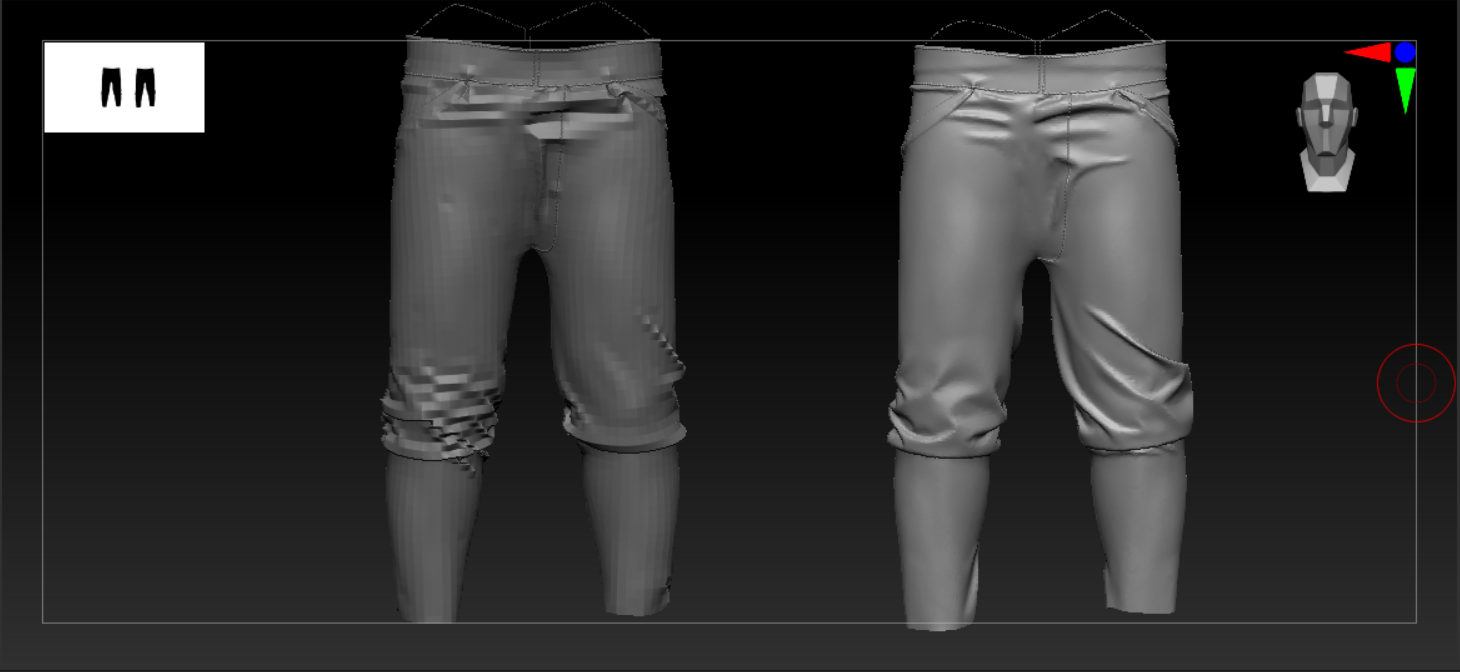
I remember trying to add subdivisions before, but it caused MD to hang for ages. Is there anything in the preferences that can be adjusted to add more subdivs on export?
Thanks
Hi Tim Smith,
Thank you for contacting us.
Are you using the remesh check box to remesh your garment before exporting? To add more subdivisions, you need to set the particle distance to a lower number.
Or you can use the Remeshing to Retopology tool for more control. To do so, right click the pattern in the 3D window and select "Remeshing to Retopology" you can set a number for the polycount in the pop up window and click ok. You can then edit your topology using the new retopology tool in Marvelous Designer 11 (to subdivide a role, use the "Create Topology" tool, hold Ctrl + Shift and click to add a role of edges)
For more information on Remeshing to Retopology tool: (Link)
For more information on Retopology in Marvelous Designer:(Link)
Best regards,
Marvelous Designer Support Team
The remesh check box, yeah. Ahhhh. Of course! Yeah, I originally had the particle distance set to 5, but put it to 20 due to the simulation being too slow and unresponsive.
I've not yet tried MD's retopology tool, so I'll give that a go and see what it's like. Thanks. :)
The retopology tool looks ideal! That should help me with a pair of trousers I made. Whenever I bring them into ZBrush and ZRemesh, it always breaks the pockets.
A couple of questions: is it possible to slide selected edges? Also, there's an option to duplicate, but I haven't been able to get it working properly yet... Is it possible to retop one side and then make it symmetrical or duplicate it to the other side?
Hi Tim,
Yes, it is possible to slide selected edges. To do so, use the "Edit Topology" tool, select the edge you want to move and drag. You can also slide multiple edges by holding shift or select the whole role by double clicking on an edge. However, currently you can only slide edges in the x and y axis, not base on curvature.
To duplicate a retopologies pattern, you need to copy and paste or mirror paste the pattern, not the retopology. However, for symmetrically linked patterns, the topology will be automatically created to the linked pattern.
The "Remesh all (duplicate)" feature is to "duplicate a new mesh based on created topology face of the entire pattern". You should only do it after all the retopology is done before exporting.
Best regards,
Marvelous Designer Support Team
Awesome. Thank you. I'll give it a try when I next load it up. :)
댓글을 남기려면 로그인하세요.