
Hi, I have imported an avatar from Blender in Marvellous designer and I have noticed that there's a plane sticking out of the avatars head which was not in the blend format.
When I simulate the sewing, the cloth gets pulled towards the plane behind the avatars head which leads it to become deformed.
The plane is also underneath the reference image I have imported which blocks the simulation of the image from hitting the ground also
I am also unable to move the avatar around.
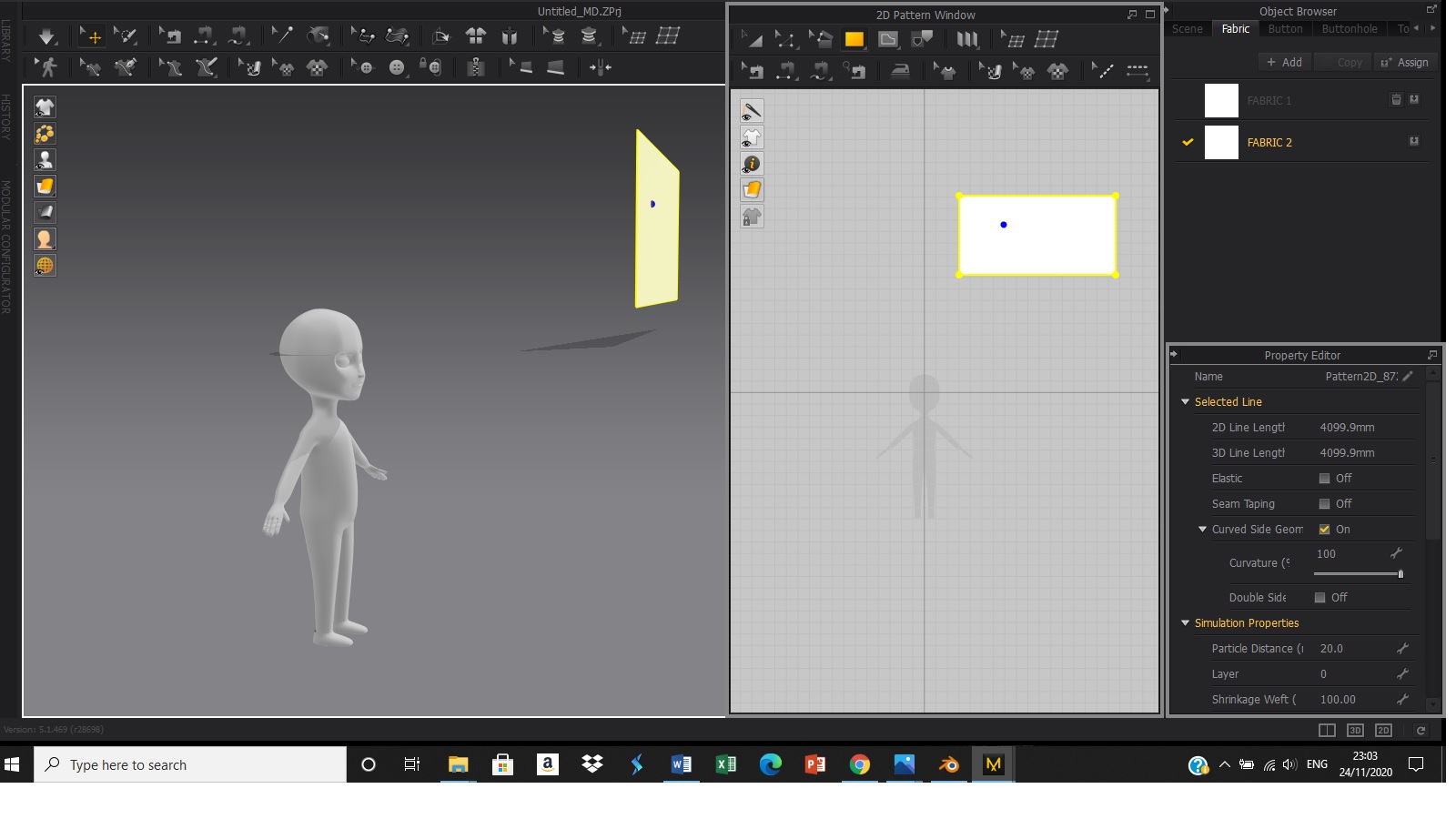
That plane is the ground plane indicator for MD. Your avatar has been imported with improper world coordinates for MD. You can see in the 2D window where the darker horizontal line is? That is the ground plane level. You will need to re-import your figure, and make sure the world coordinates in Blender have the ground plane at your avatar's feet. Or, on import into MD, adjust the Y settings to bring your figure upwards.
Thank you
请先登录再写评论。