
I made a special Arrangement for a Genesis 3 Female avatar but after one use the Neck volumes became unselectable. I can reload the Arrangement and for one adjustment the neck volumes are selectable but if I close the Avatar Editior when I re-open the Avatar Editor the neck volumes are again unselectable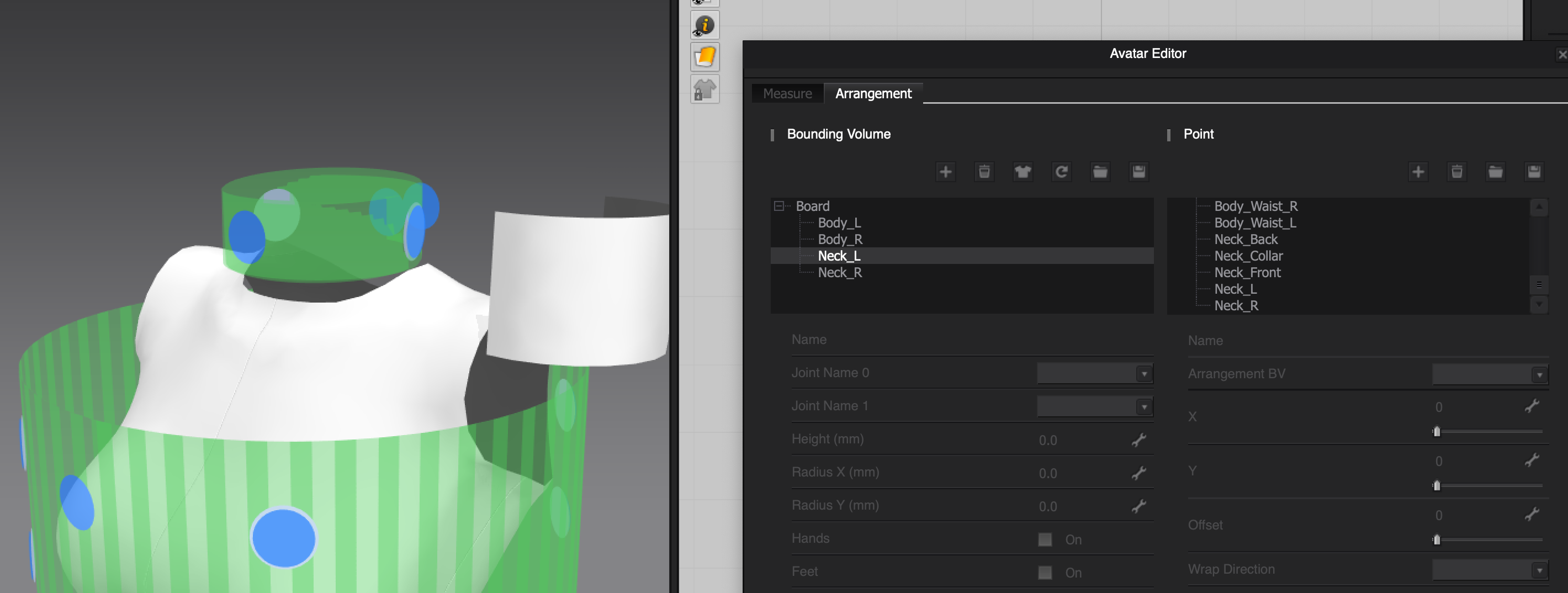
Hello @...,
Thank you for contacting us!
For your information, please kindly note that you can edit your Bounding Volumes and their Points data only when you open the Avatar Editor Dialog.
And if you want to show and select the Bounding Volumes and its Points, please check on Show Bounding Volumes and Show Arrangement Points in the 3D Window on the upper left corner.
For us to assist you in a better sense, could you share the avatar file with the special Arrangement data with us via support@marvelousdesigner.com? It would be used only for test purposes.
I look forward for your reply soon. Have a lovely day !
请先登录再写评论。