
I have a very simple .fbx animation. To my surprise, when it's imported into MD, the animation is simply wrong!
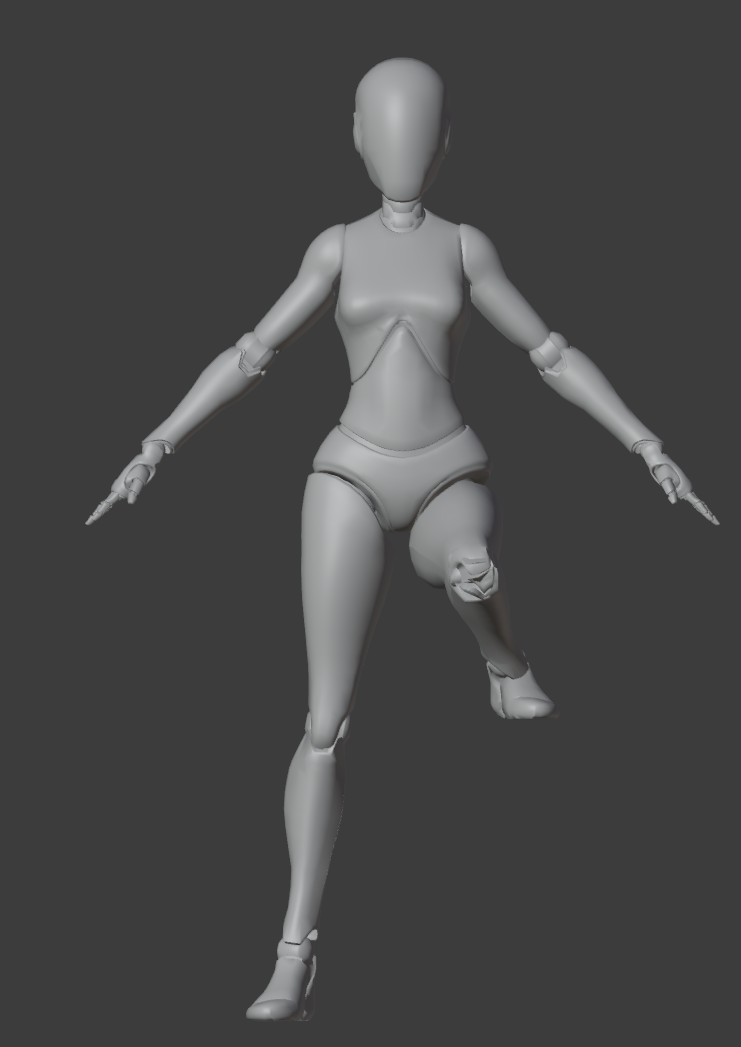
Frame 5 of the actual animation:
Frame 5 in MD:
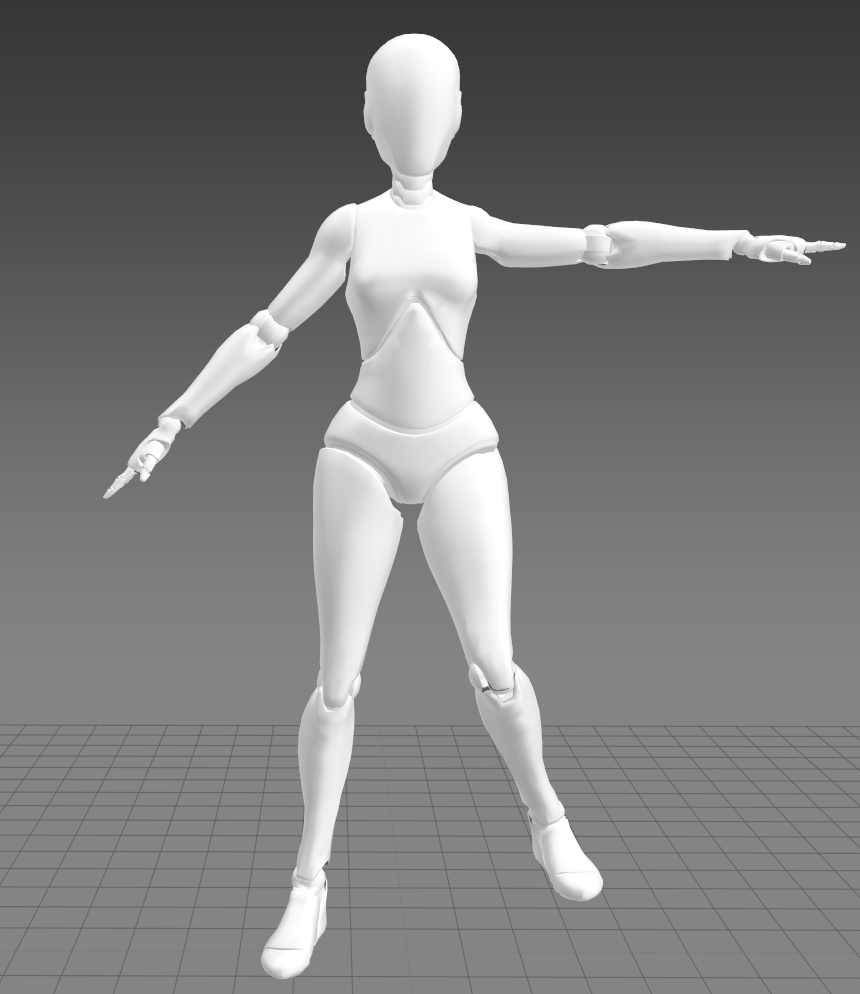
I'm 100% sure that the first picture is the actual animation data, because it's how it looks in both Blender and UE4. It's unlikely that Blender and UE4 are both buggy in the same way, so the problem is on MD's side. I know I can export Alembic from Blender, but the file size is so huge and it's so slow. Is there any way to make MD shows .fbx correctly?
The file: https://drive.google.com/file/d/15Eiu6gLPbAoHRDl2UHOexST07yQY4mbe/view?usp=sharing
Hello @...,
Thank you for contacting us!
May I know which fps you are working with? I look forward to hearing from you :)
I've tried to export in both 24 FPS and 30 FPS. But the animation is wrong in both.
And I'm pretty sure FPS is not relevant here. The MD's animation is not just slower or faster than Blender or UE4's animation. It's literally "wrong". This animation only has 3 keyframes.
Frame 1: Resting Pose.
Frame 5: Leg raised.
Frame 10: Leg and Hand raised.
In MD, it ignores the keyframe on Frame 5 completely, and interpolates Frame 5 by Frame 1 and 10. So it becomes:
Frame 1: Resting Pose.
Frame 5: Leg and Hand half-raised.
Frame 10: Leg and Hand raised.
TL; DR: MD discards all the keyframes except the first and last ones.
Hello @...!
When you export animation and import to other software, please Bake your animation.
Please try to bake your animation and then import it into Marvelous Designer.I hope this way helps your problem.
Use Alembic, it's the only thing that worked for my character.
请先登录再写评论。