
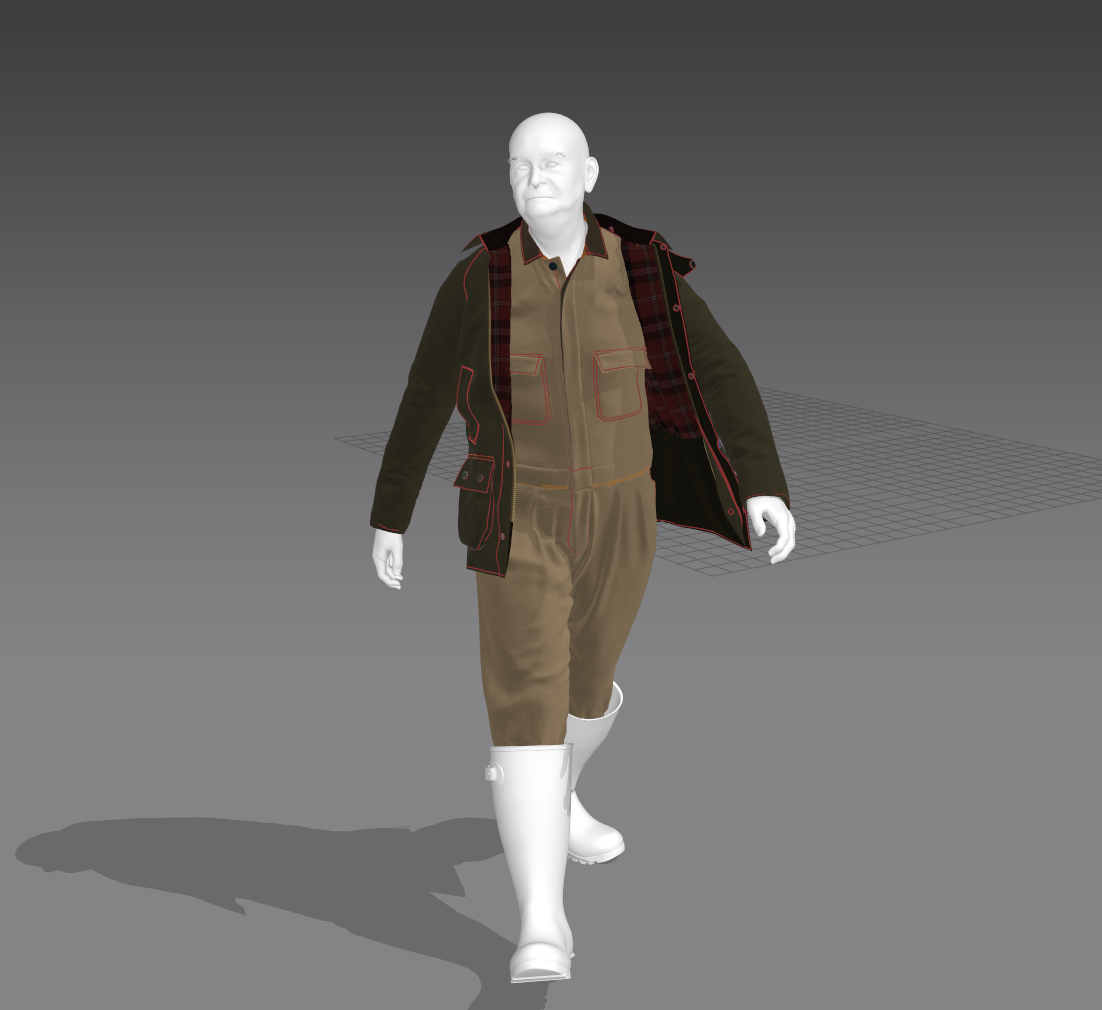
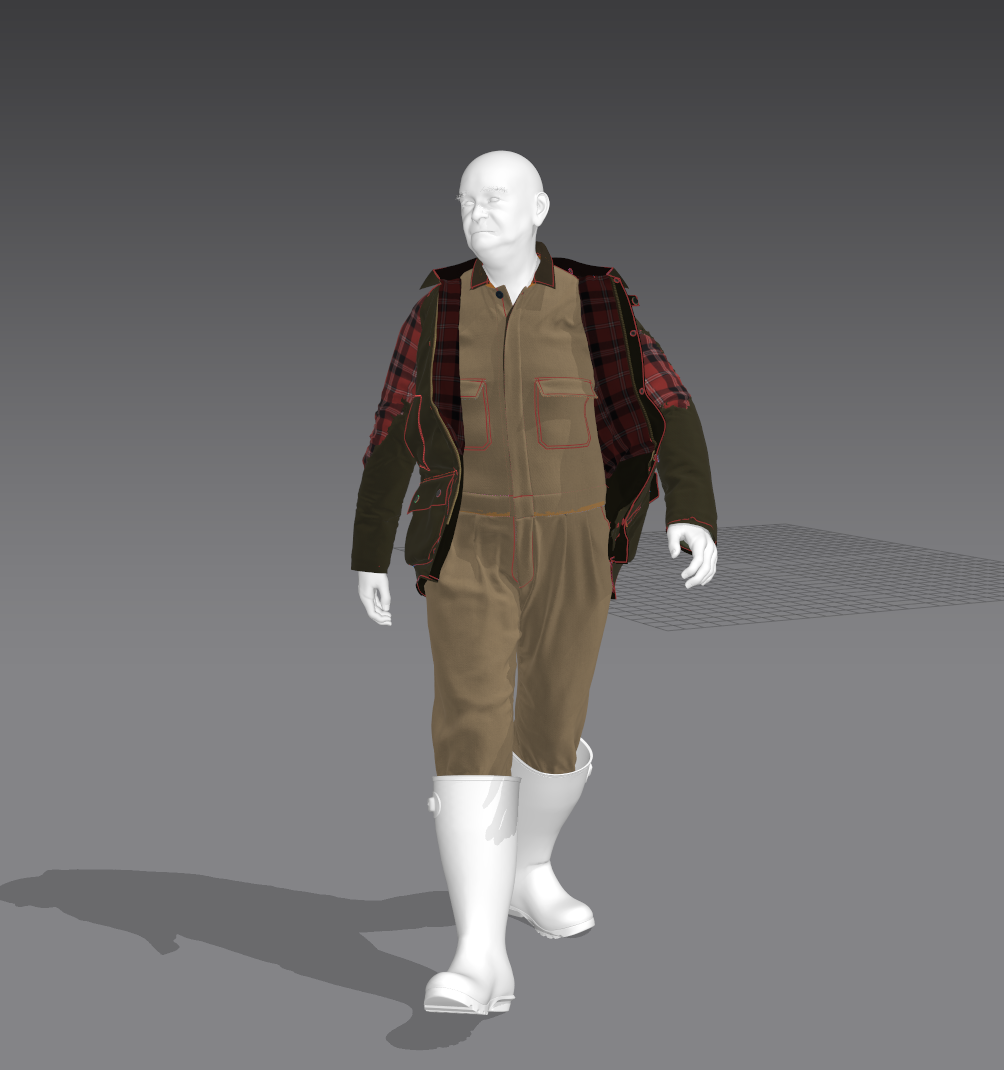
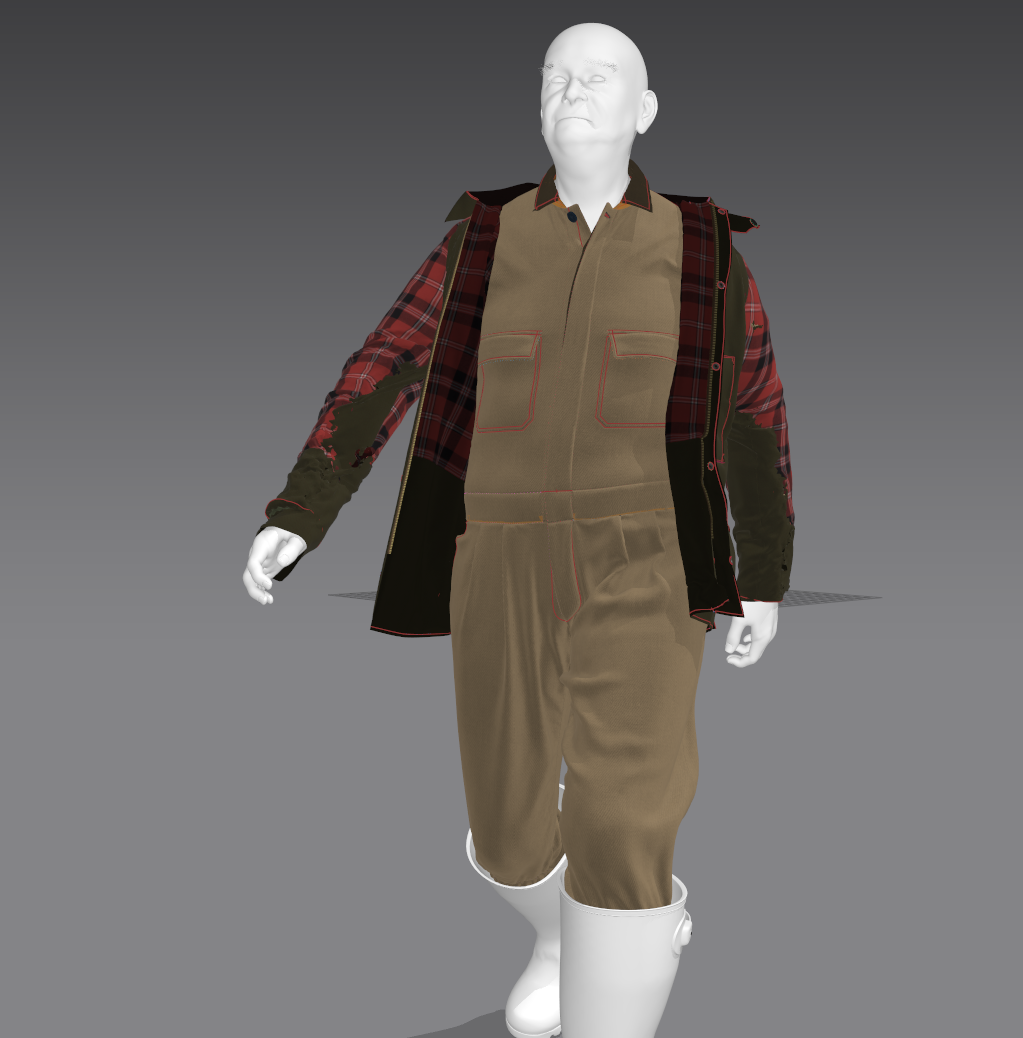
Hi, I'm getting a problem with the inner fabric bleeding through the outer fabric on my jacket. The simulation is stable at first but at the end of the animation it bursts out and starts to take over. Any suggestion of what might fix it? I've tried doing a GPU Simulation and turning on vertex-vertex but without any luck.
Thanks,
Ash
Hi Reed,
Thank you for contacting us,
Is layer being turned on during the simulation? It is recommended to turn off layer function for Animation to make it more stable. Since layer function uses normal to figure out the layering, when wrinkles are created, the simulation will be unstable since Marvelous Designer is constantly re-calculating the layering.
For your case, it is best to just delete your sleeves for the inter shirt to optimize it.
If you want still have the effect where you want to see the inter shirt through the sleeve hole, you can leave the cuff of the inter shirt and sew it to the jacket.
For more ways of optimizing the garment for Animation, please check our this tutorial: [Link]
Best regards,
Marvelous Designer Support Team
yes when doing your final beauty pass simulation (eg: before animation) it's best to do a project save 'state' > a history save where you may go back to that assembly (sim) > where you A) have all layering set to '0' and B) (after the save state and setting all layers to 0 - run the final high resolution polycount sim with the CPU set to the best quality simulation. (not the GPU). Running a GPU sim prior to your final simulation or at a later stage might appear to speed up that aspect but in reality sticking to a CPU sim is better at that stage as the quality of the layer order and surface collision will be rested to a 'best' state, ready to run the final animation.
In addition prior to setting all layers to zero, you should check off any and all internal layer ... seam angles between patterns to make sure they are not set to angles that might direct the inner assembly to push outwards.
And yes as stated in the previous post .... if it's not seen in the animation, as a layer (eg: inner sleeves) do you need to show them. You can always create the build up offset that resembles padding of layers by raising the fabrics offset from the avatar for any area you might have a double layer.
Although on most 'open' posed jackets you have a double layer that needs to simulate as two surfaces (eg: laminar shear between 2 simulation layers) for example just near the top button and inner lining > this is most obvious and perhaps needs to stay as two layer construction. Every where else you don't need to see that double layer construction you can apply a 2nd rear texture surface to the seen outer layer that is the same as the lining texture, such that it is a single simulation pattern layer. For example the inner sleeves at the arm hole. So if it does get seen during the animation at any point it has the lining texture on a single layer sleeve. So in some areas where you don't need to show the double layer and can 'fake' the lining as a rear (back) texture on the single layer pattern (eg: sleeves). That can sometimes give you some additional choice on how to cut down on troublesome mesh collision but still keep the visual lining element in less important seen parts of the animation.
请先登录再写评论。