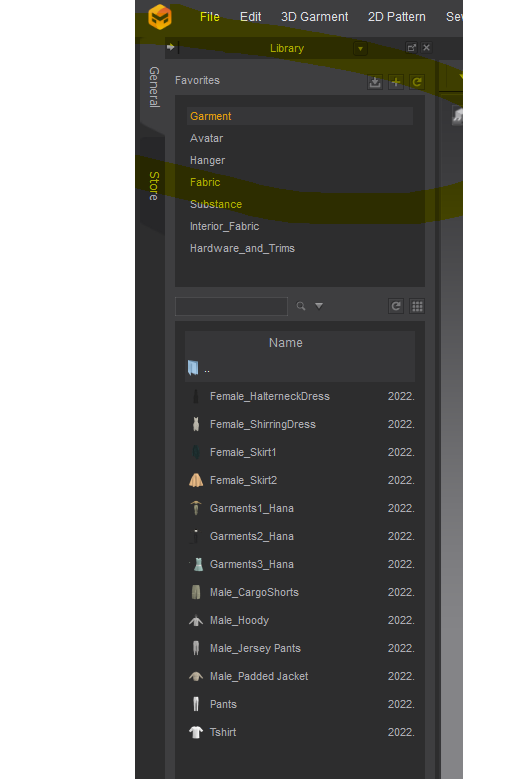
 The default file path is my c drive which is almost full. I want to move everything to another drive. I checked under settings/preferences but I don't see anything that seems to cover this location.
How do I change the file path?
CD PROJEKT®, Cyberpunk®, Cyberpunk 2077® are registered trademarks of CD
PROJEKT S.A.
© 2021 CD PROJEKT S.A. All rights reserved. All other
copyrights and trademarks are the property of their respective owners.

The default file path is my c drive which is almost full. I want to move everything to another drive. I checked under settings/preferences but I don't see anything that seems to cover this location.
How do I change the file path?
Hi Sheffield Janice,
Thank you for contacting us.
We currently do not have a way to change the default file path for the library asset folder. However, since they are files and folders located in your computer, you can move the entire asset folder to another location, delete the existing folders and add the folders back to the library.
To find the file path, right click on the name in the library, for example garment, and click copy file path
Paste the file path to your file explorer, and you can move the folders to another location.
Using the add button you can add the new location to the library
Please note that software patch updates won't update the library path, but library updates will. So you would need to do this again when you chose to update your library.
Best regards,
Marvelous Designer Support Team
请先登录再写评论。