
Running with NVidia RTX 3090 with latest drivers (527.41). I can't get past the error that my graphics card doesn't support OpenGL, which is obviously in error. All four of my monitors are plugged into the GPU. I have no issues of any kind with any other 3D software. I've tried both the Studio and Game Ready drivers and both result in the error. Please Help!!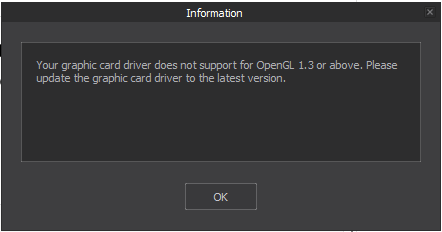
Including NVIDIA system information.
[Display]
Operating System:    Windows 10 Pro, 64-bit
DirectX version:    12.0
GPU processor:        NVIDIA GeForce RTX 3090
Driver version:        527.41
Driver Type:        DCH
Direct3D feature level:    12_1
CUDA Cores:        10496
Resizable BAR        No
Core clock:        1725 MHz
Memory data rate:    19.50 Gbps
Memory interface:    384-bit
Memory bandwidth:    936.10 GB/s
Total available graphics memory:    57291 MB
Dedicated video memory:    24576 MB GDDR6X
System video memory:    0 MB
Shared system memory:    32715 MB
Video BIOS version:    94.02.26.48.78
IRQ:            Not used
Bus:            PCI Express x16 Gen3
And info from OpenGL extensions viewer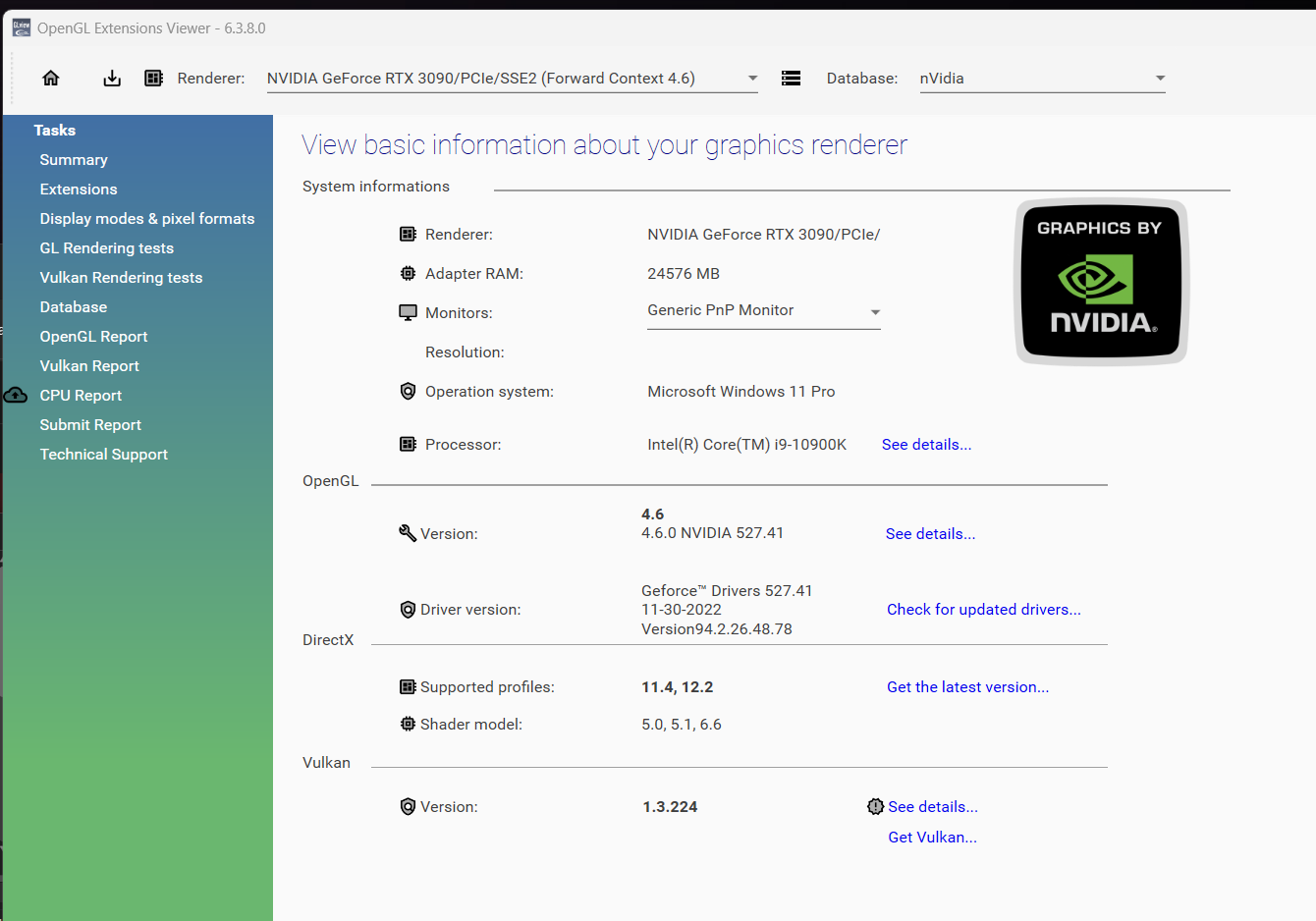
Oh man, I have been having this exact same issue with for 2 years, with MD10 not working for me (MD9 does).
And I've run the OpenGL Viewer like you and got the same answers....
I have RTX 3090's as well (two of) and I have been pulling my hair out for 2 whole years, with no solution from Support unfortunately that worked for me.
A beverage of your choice to anyone who manages to figure out this problem!
(can't wait to solve this!).
I finally figured it out! I don't know if this will help many others with this issue but at least in my case, I had an system-wide environmental variable set:
QT_OPENGL=angledeleting this environmental variable or changing it to
finally fixed the issue.
Brilliant news Allen, well done!
Where/how do you change that variable, I'm struggling where to find it :)
Found it!!!!
You sir are a genius!
How the hell did you fathom that one out?
I've been contacting MD support for a LONG time and in the end, both they and I gave up.... and here, nearly two years later, your good self has done it!!!
Thank you soooo much :)
I'm so glad this was able to help someone else struggling with this issue! There is little or no info to be had when googling the error I too was pulling my hair out for a long time.
To answer your question: I knew Marvelous Designer is written with QT. QT is an open-source universal application development platform used by a great many Windows and Mac applications. Trying to find out where the error is being triggered from, I started the MD app inside a debugger and saw it gets it's cue weather or not to show the OpenGL error dialog from a QOpenGL class. I did some research on OpenGL errors in QT and it led me to this github post (https://github.com/CauldronDevelopmentLLC/CAMotics/issues/301) and found the info about the QT_OPENGL environmental variable being set incorrectly. I checked it on my machine and low and behold it was set incorrectly. It must have been set by another app or I put it in there at some point as I dabble in QT development from time to time.
Woah, I have been waiting absolutely years for someone to figure it out. I would really appreciate it if you could help me fix this!
I don't have as much knowledge as you but I have done my best to try and follow your steps. So I have installed QT creator (is this correct?) but I don't know how or what to open so I can get to the point of changing the variable to desktop.
Would it be possible to get your great brain on this!?
G
@...
Windows + R
Type "sysdm.cpl" - press Enter.
Go to the Advanced Tab and Select "Environment Variables".
From there, you can find the QT_OpenGL=Angle and change that to =Desktop.
请先登录再写评论。