
I just upgraded to Marvelous Designer 9.5 (windows, perpetural liscense) and I cannot seem to adjust the avatars at all. I'm missing the avatar editing tab, completely.
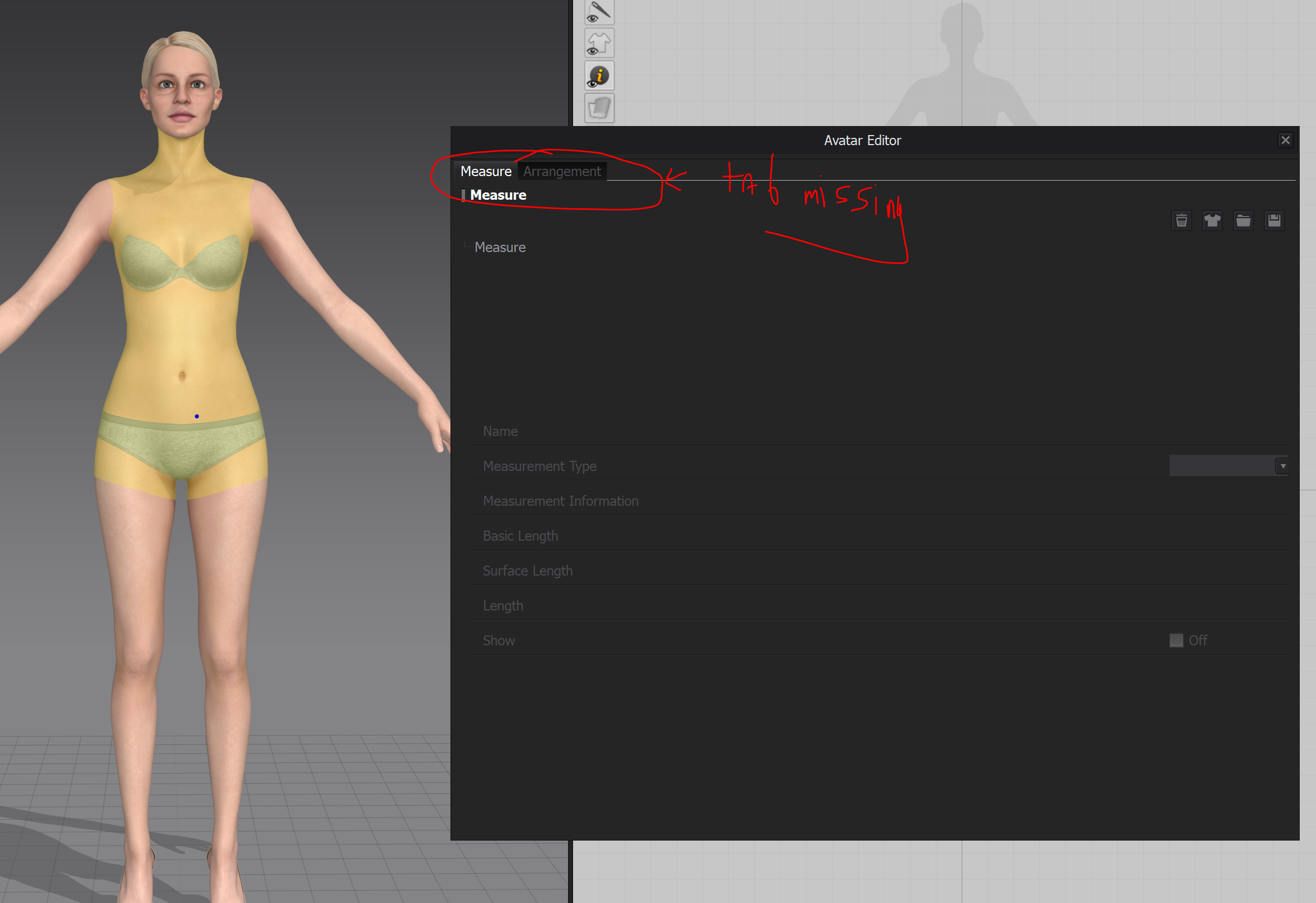
I've tried uninstalling, deleting all CLO and Mavelous designer leftover folders, and no luck. Am I missing something basic from the upgrade?
Thanks and I appreciate any help!
Hello @...,
Thank you for contacting us!
Could you please delete your Avatar assets as well as SW file and then try this again?
Your assets file locations is here: C:\Users\Public\Documents\MarvelousDesigner
I look forward to your reply soon!
Thank you :)
Hi Feld,
Thank you for letting us know. I will share this with the team and take a look into this issue.
Thank you, is there any update? Is it something I am misunderstanding in the interface, or is something wrong with my install?
I also need a solution to this
댓글을 남기려면 로그인하세요.