
Hi
Im trying to import a clean model with nice UV's within the 0-1 UV space - please see attached. None of the UV islands overlap. When importing OBJ as garment in MD (both v8 and v9) the operation fails with a "Could Not Recognise UV Borderline Correctly".
I get further with MD8 - UV are read in despite the warnings, and look decent, but programs crashes if I try to save the project.
MD9 reads the same file, gives the warnings, but does not read correctly.
Please can anyone offer any help?
Thank you!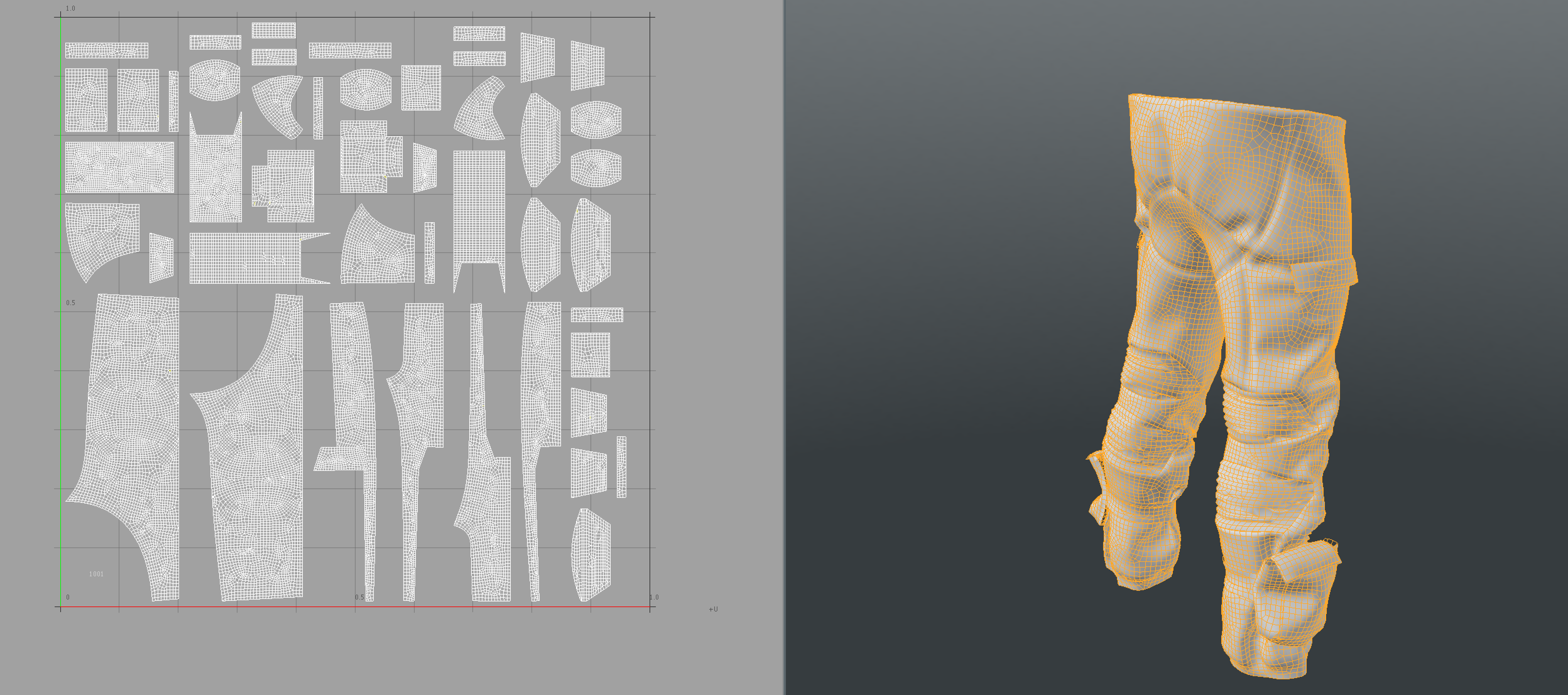
Please find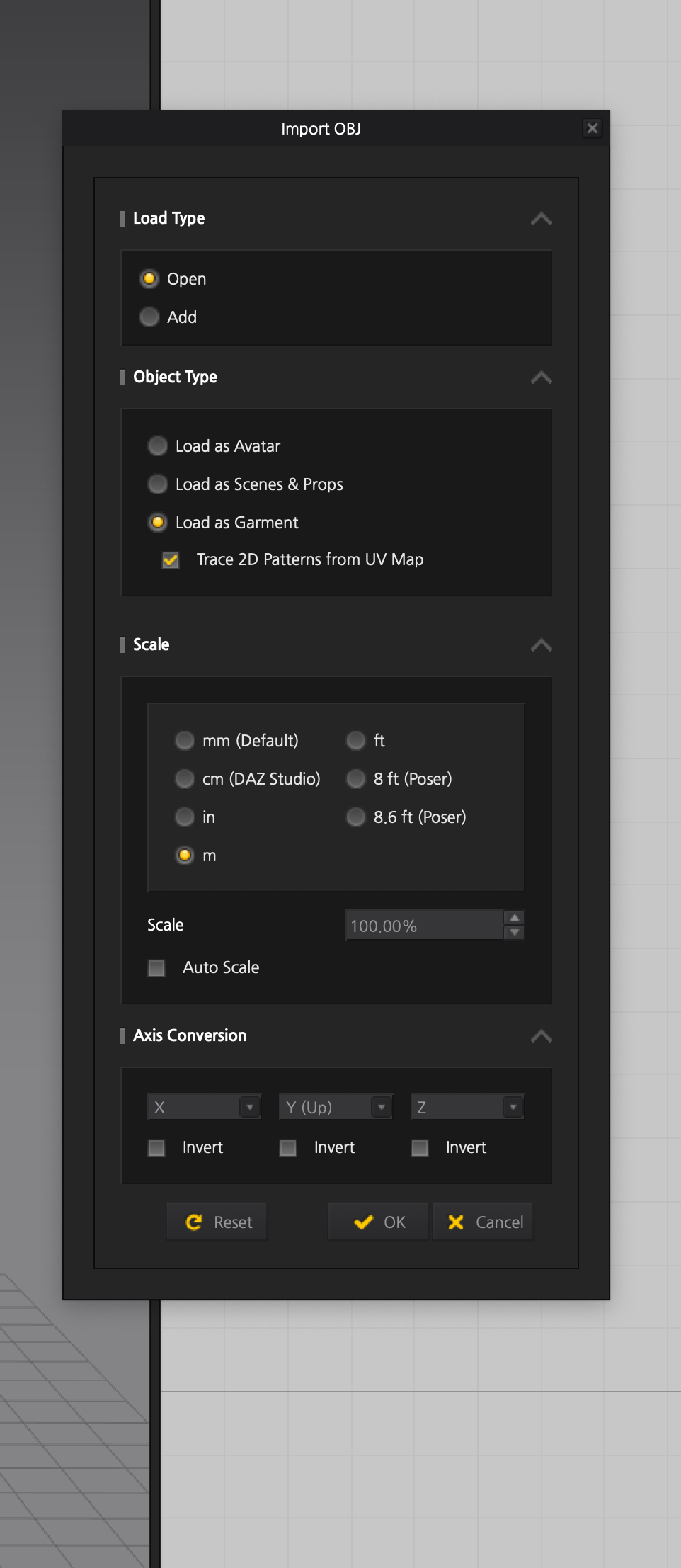 my import settings attached.
What app did you export it from ? The edge for each mapped element on the UV needs to be well defined, that means you need to ensure you don't have any additional conditions - I generally clean my mesh before exporting to make sure 'manifoldness' is sorted. Usually an issue with Maya.
I exported from Modo, and did a Mesh Clean Up before export.
When importing from MD into Modo also, the UV's are HUGE. I always have to do a re-pack to get them into 0-1 UV space within Modo.
Not sure what the issue ism but MD does not like it, and actually crashes - both MD8 and MD9.5
Did you define the 3D models mesh island seam lines before you exported as single welded item? Make sure your Modo scale is set right for importing to MD, and that when you do import you choose either automatic or the right unit scale.
I just got this exact same problem on a very simple mesh. And likewise I had run mesh cleanup already. Turned out there was still a vertex needed joining that I picked up with manual vertex merge of 2mm.
Yes the incoming file MUST be clean as a whistle and so that means users need to check (and double check) their mesh and UV islands.
댓글을 남기려면 로그인하세요.