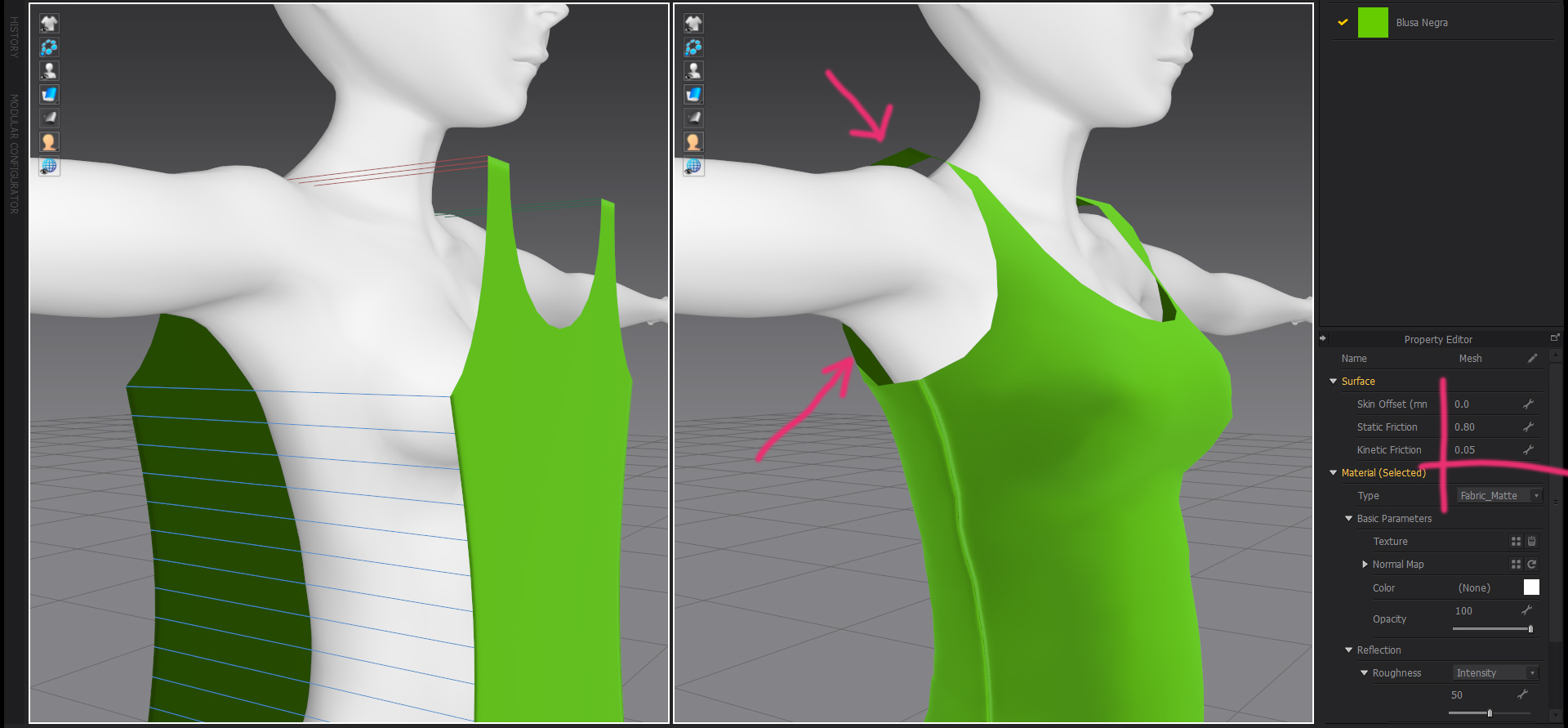
 I want to make a shirt for a female character that was modeled on 3ds max and exported to marvelous in obj format. But when I do the simulation, theres always a big space between the body and the shirt, how can I make the shirt tighter so the space disappear?

One of two causes. Either, your import scale is wrong, making your avatar too small for the MD world space,......or the Offset got changed in the Properties Editor.
For the first cause: MD works on a real-world human figure scale, and the cloth mesh properties at default settings are geared toward that scale. If you are seeing such a large offset, and jagged, noticeable edges, then the avatar is so small that the default offset and the cloth polys are too large by comparison. MD works best (at default settings) with avatars that range from ~1200 to 2000 millimeters (or 120 - 200 cm, or 1.2 - 2 meters) tall.
Check the scale units from the program you are coming from, and the import settings when coming into MD. Choose the import scaling that will bring your avatar to the correct size, either by choosing a different unit scale, or by choosing a percentage change in the Autoscale option.
For the second cause: Click on the avatar's surface in the 3D window, and in the Property Editor look for the first line Skin Offset. Default setting is 3 mm.
Right, it was a mistake selecting the scale when I imported it, thank you so much.
댓글을 남기려면 로그인하세요.