This is my Workflow/Pipeline:
Character Creator -> iClone (alembic export) -> Marvelous Designer (alembic export) -> Cinema4D
I design a character in CC, animate it in iClone and export as an alembic.
In MD I import the animated character and design the garments.
Later on, I calculate the sim and export it as an Alembic so I can texture it in Cinema4D and Octane.
In order to get the poly selection groups correct (for texturing purposes), I need to import as well a copy of the garments as an OBJ or FBX and drag the tags from there to a "current stated object" of the alembic.
The problem is that some polyselection groups aren't correct and I noticed is because of the buttonholes.
When I export has an FBX or OBJ the buttonholes are a plane (geometry) which then are textured with an alpha channel to get the desired effect.
The problem I encounter is that when I export as an alembic, these button hole planes aren't exported, that's why I get different polygroups when moving them from the FBX to the alembic.
Is there a workaround? How can I export the alembic with the buttonhole geometry?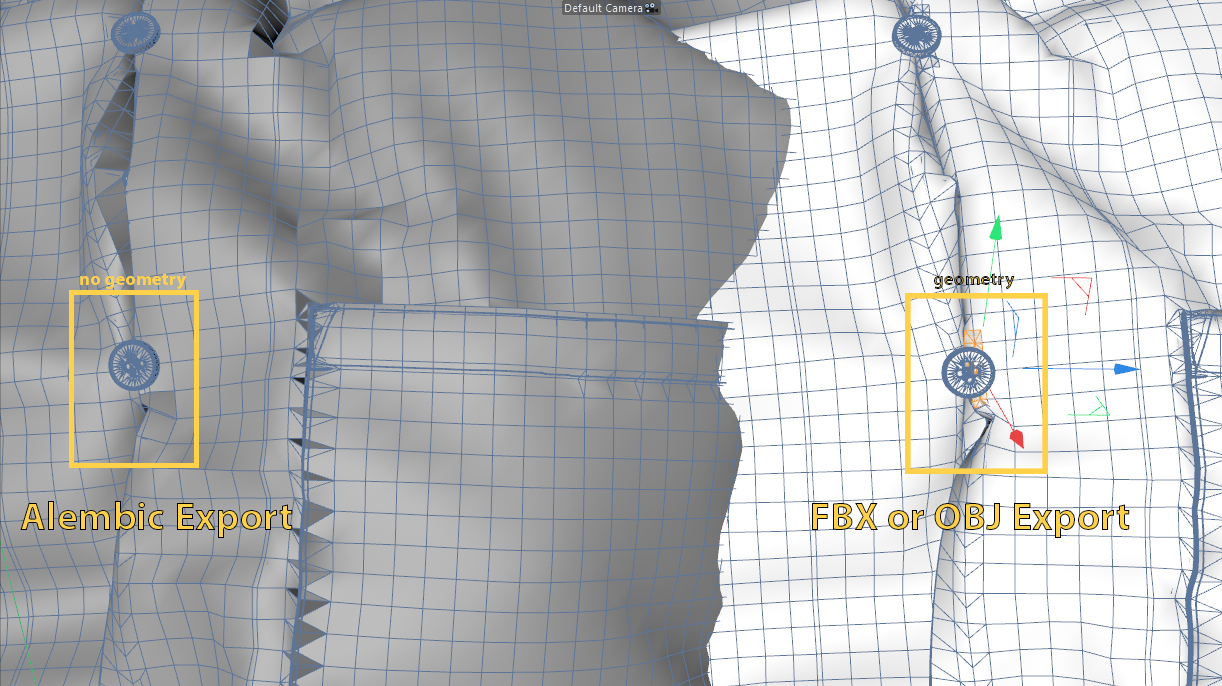

Hello @...,
Thank you for contacting us.
As you mentioned, the Button Hole won't be exported if you tick the Unified UV Coordinates (PNG) option.
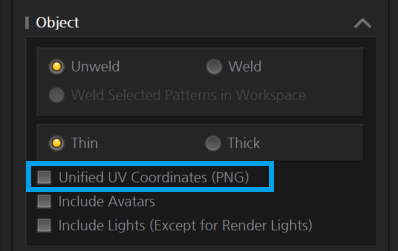
In the current version, if you tick it on the Export window, the mesh for obj stitch, print overlay (Graphic), and Button Hole are not saved and exported.
Based on the users' needs, the exporting option will be improved.
I hope this information helps you.
Should have you further questions, feel free to ask me :)
Thanks for the reply! Well that indeed worked!
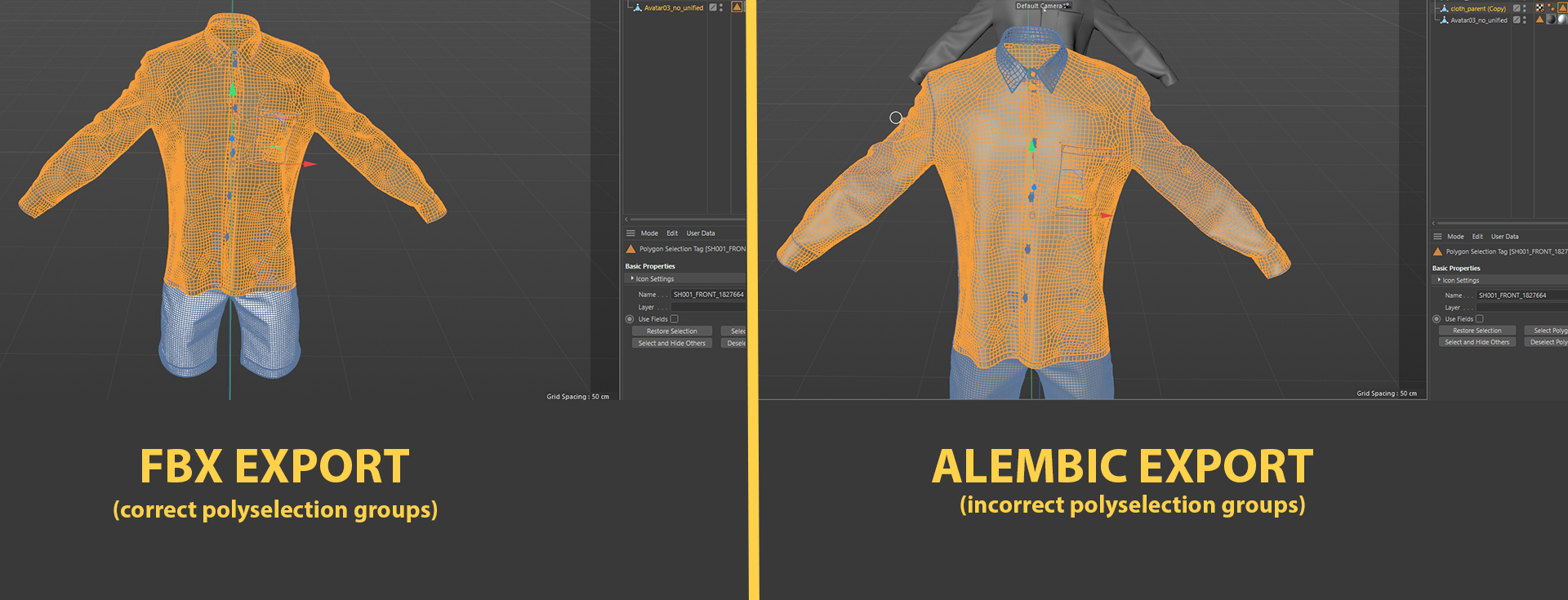
And how about the issue on the polyselection groups? Do you have any solution?
So on the left, there is the FBX file with the selection group active and on the right the alembic (baked or current stated to object) with the same selection group (dragged from the FBX to the alembic).
The selections are similar but not correct. It messes some parts.
For poly selection I use a unique but different base color in the fabric stack, and then drag and drop that on a pattern piece with a unique name. Set the unique fabric to the elements you want in any one selection group. Then you can select by fabric base color polygroup.
Did you try with buttons and topstiches? Did it work?
Here it doesn't and I have one fabric for the shirt and another for the shorts (that's the selections I need), when I export it, I get, as I said above, similar but not correct selections.
댓글을 남기려면 로그인하세요.