Hi there
Does anyone know why the texture I apply to the garment, is not visible in 3D view?
I can see the texture in 2D view, but not 3D.
I've got the 3D garment rendering style on "Thick Textured Surface" but it still doesn't show up.
Would appreciate any help.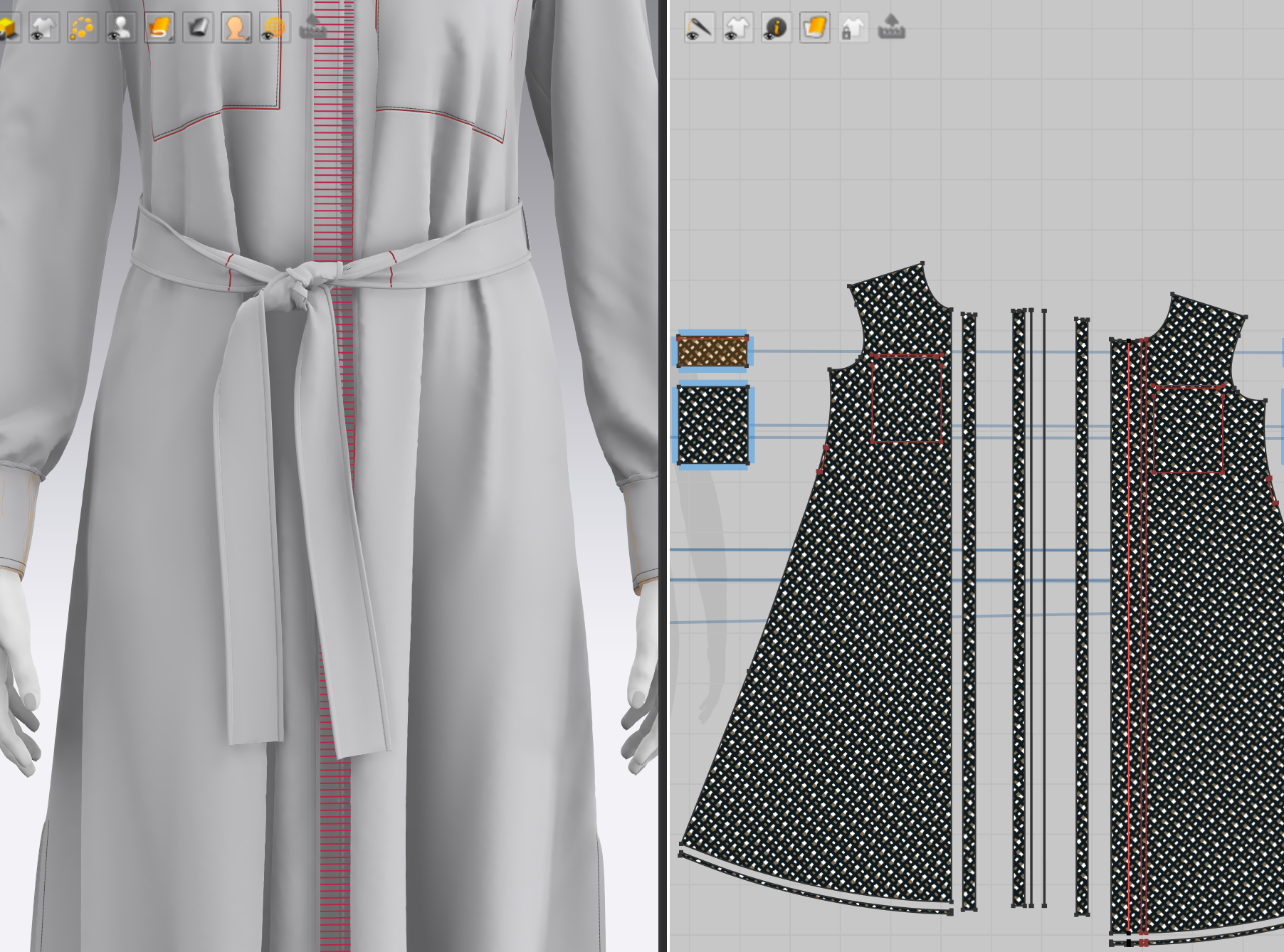

Hi,
Thank you for contacting us,
It is most likely because all of your pattern pieces have solidify applied. If you select your pattern pieces, go to the property editor and check if this check box is being checked.
In Marvelous Designer, when you apply 3D statement like strengthen, freeze, bind and solidify, the color will change in the 3D window to indicate where these properties are being applied. It is very unlikely that the whole garment need to be solidified. Please check this tutorial video to learn more about the different 3D statements and what they do: [LINK]
Best regards,
Marvelous Designer Support Team
To close this for future Reference: the answer was that SOLIDIFY WAS APPLIED. This is what solidify looks like when it is applied to garments (unfortunately, it looks like textures are off)
댓글을 남기려면 로그인하세요.