
Hi
Is it possible at all to add thickness to specific seams on clothing. It seams (:P) that it can only be done if you enable Thick Textured Surface and then adjust the thickness in the Property Editor. But that's adding thickness to all the patterns assigned to a fabric.
With the boot of this low poly model...
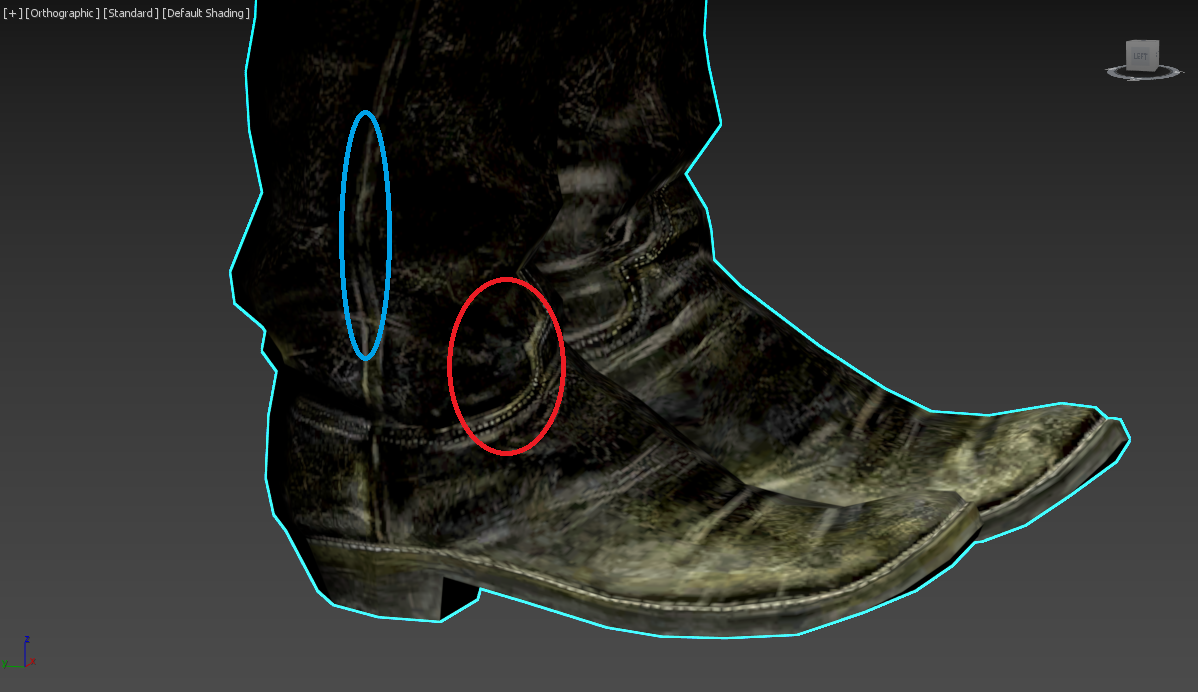
...is there any way of bringing the seam circled in red outwards slightly...? Or perhaps the seam circled in blue to be thinner...? This my leather boot at the moment:
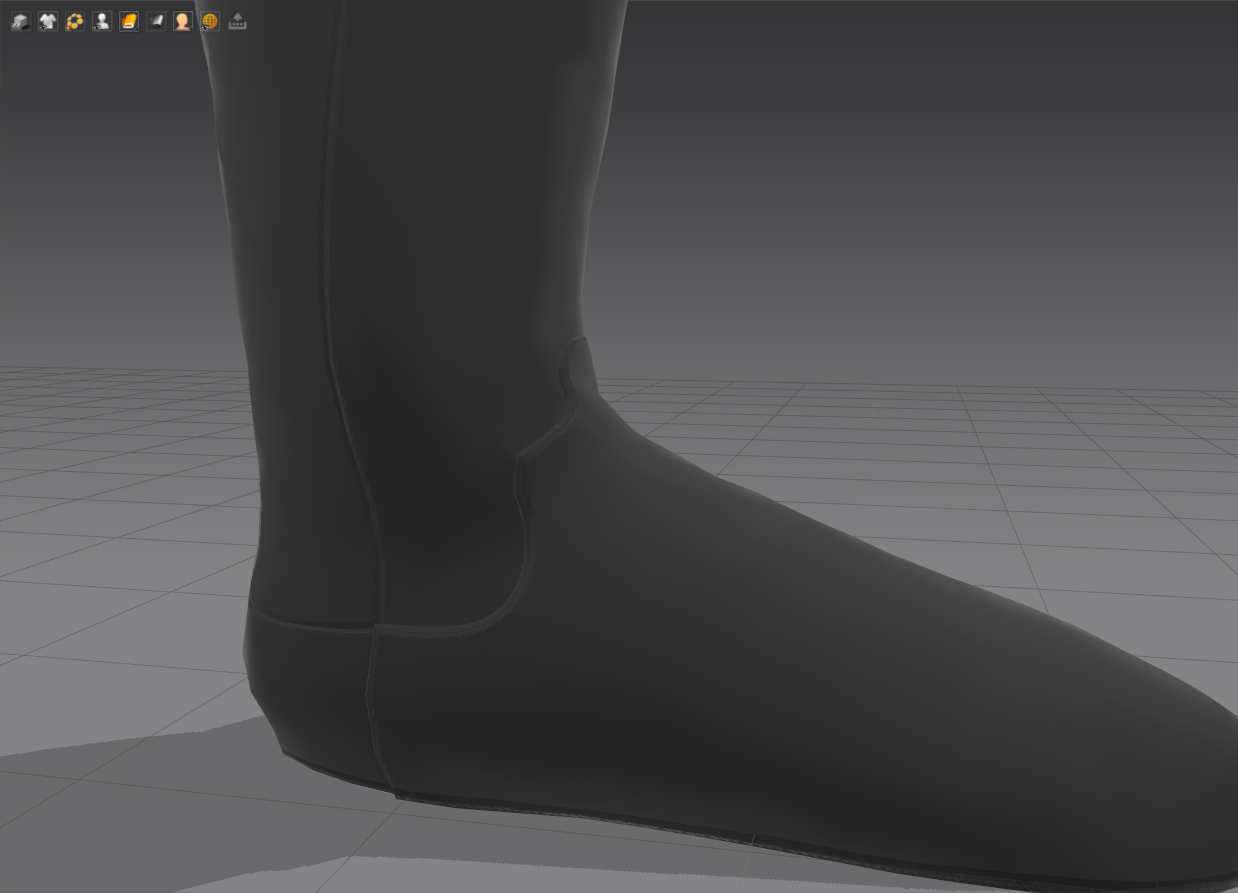
The seam on top of the foot of mine looks to be thicker than the rest for some reason, and I'm not sure why. I'd like to be able to make the seam running down the middle to be a touch wider, too.
Thanks
Best way would be to do a right-click on the desired seam(s), and choose Offset as internal line. Then do a Fold angle on the internal line (and on the seam itself, if wanted) to imitate how the leather bends on that line.
Thanks for the tip. I'll give that a try. I've noticed on a few tutorial videos of people offsetting internal lines around a pattern. Is that essentially like adding an edge loop in a 3D package to harden edges?
Thanks
It is like adding an edge loop, yes. (But not exactly, either.) MD reworks the entire garment/pattern topology on the fly, whenever internal lines are added (which can come in very handy for small detail control). Because MD is meant to simulate how cloth works in the real world, some concepts are deeply grounded in real world sewing. Some typical 3D actions, like edge loops, may have MD equivalents, but don't expect exactly the same properties.
Hi
I've been trying this out on a piece of garment, but I can't see much of an improvement. It just seems like the surface is raising and lowering more than anything.
I'm not sure if things have changed since I last added thickness to a seam, or used Internal Lines, but I'm no longer seeing the final result in the render window. I'm just seeing the red line on the hem like it is in the 2D pattern. :-\
Anyone? In another project I'm working on, I can no longer see the seam offset in the render. It's perfectly clear in my first example with the boot, but since doing it on the hem of a dress and on some pockets now, the renderer shows the red outline, but changing the Angle on it only makes it look bulged. It doesn't seem to indent or anything. :-\
I've also enabled Thick Textured Surface.
I looks more like a bevelled button
サインインしてコメントを残してください。