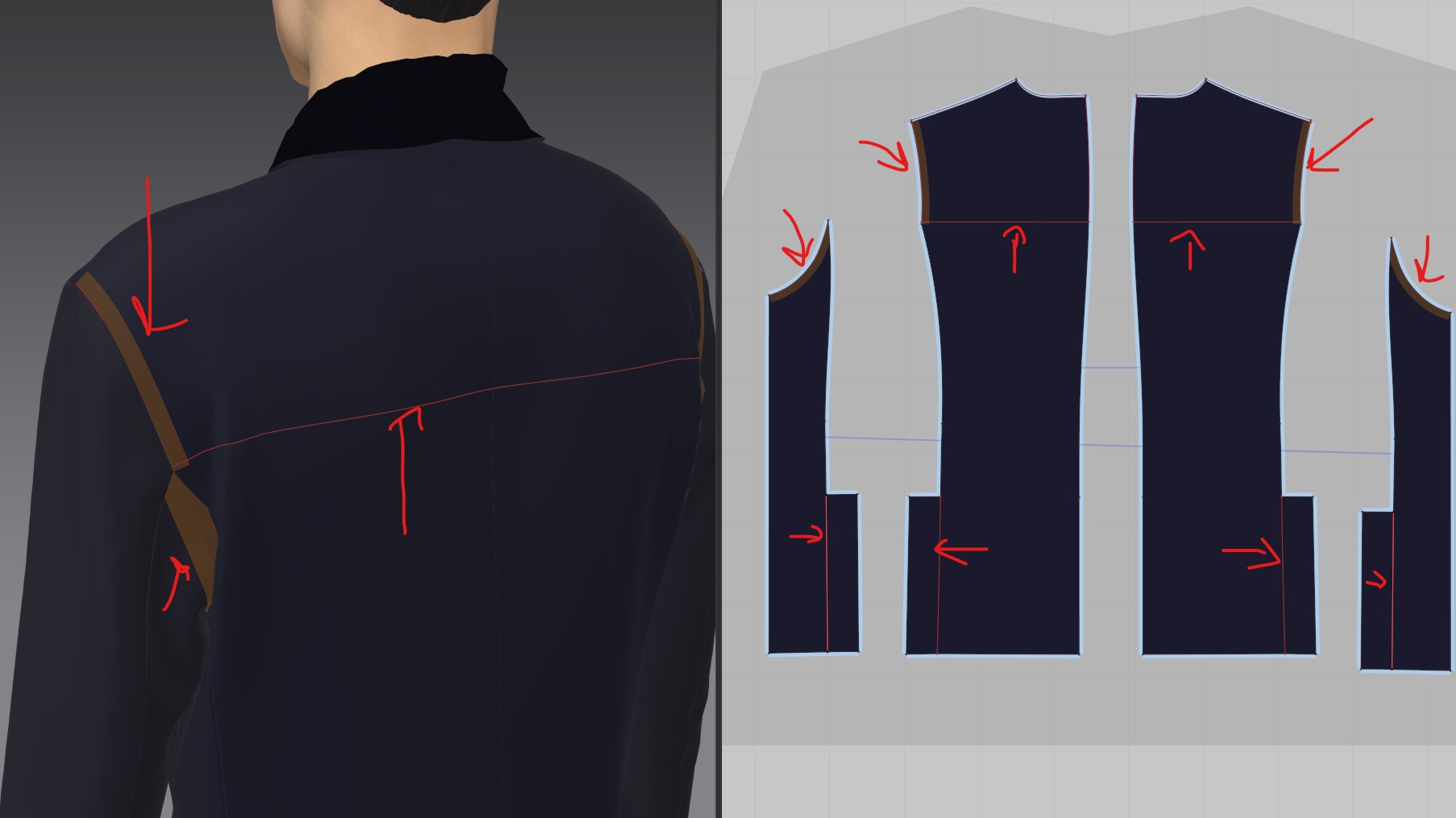
Hello, sorry to ask a very noob question , im using a modular configuration double breast jacket and modifyng it for my purpose, what are those brown lines and those red lines how can i get rid of them ?? thx in advance :) - Salvatore
CD PROJEKT®, Cyberpunk®, Cyberpunk 2077® are registered trademarks of CD
PROJEKT S.A.
© 2021 CD PROJEKT S.A. All rights reserved. All other
copyrights and trademarks are the property of their respective owners.

Hello, sorry to ask a very noob question , im using a modular configuration double breast jacket and modifyng it for my purpose, what are those brown lines and those red lines how can i get rid of them ?? thx in advance :) - Salvatore
Hi Scarantino,
Thank you for contacting us.
These brown lines are indicating that seam tape have been applied to this edges. You can get rid of it by selecting the brown line using the seam tape tool in the 2D window tool bar and press delete on your keyboard.
However, you may want to leave it. It's applying an additional fabric value to stiffen the simulation of that srea. You will notice that there are material options when bonding or seam tape is applied.
The seam tape is not texture, it will not be exported as a part of the texture map.
In addition, you may want to delete the modular relationship before you start modify the pattern pieces.
Please watch our beginner tutorials for more information on Seam tape, Bond, and Modular Configurator. [Link]
Best regards,
Marvelous Designer Support Team
サインインしてコメントを残してください。