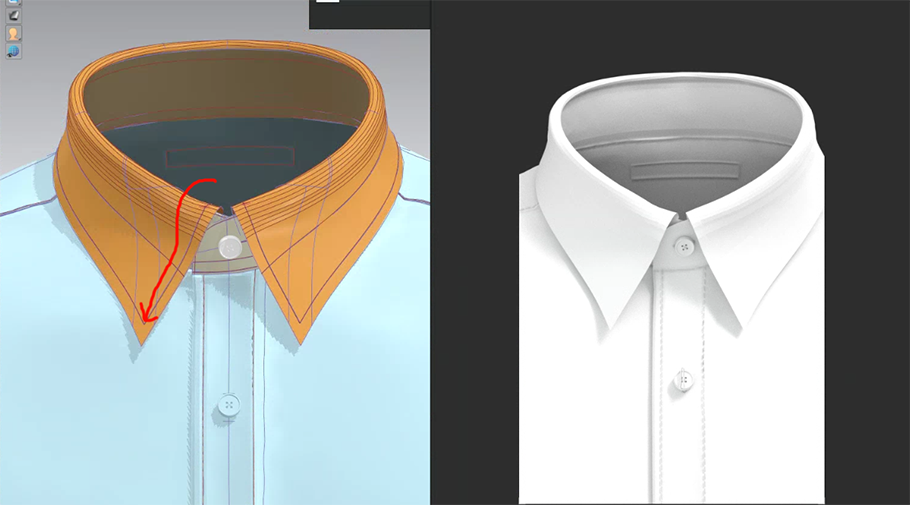
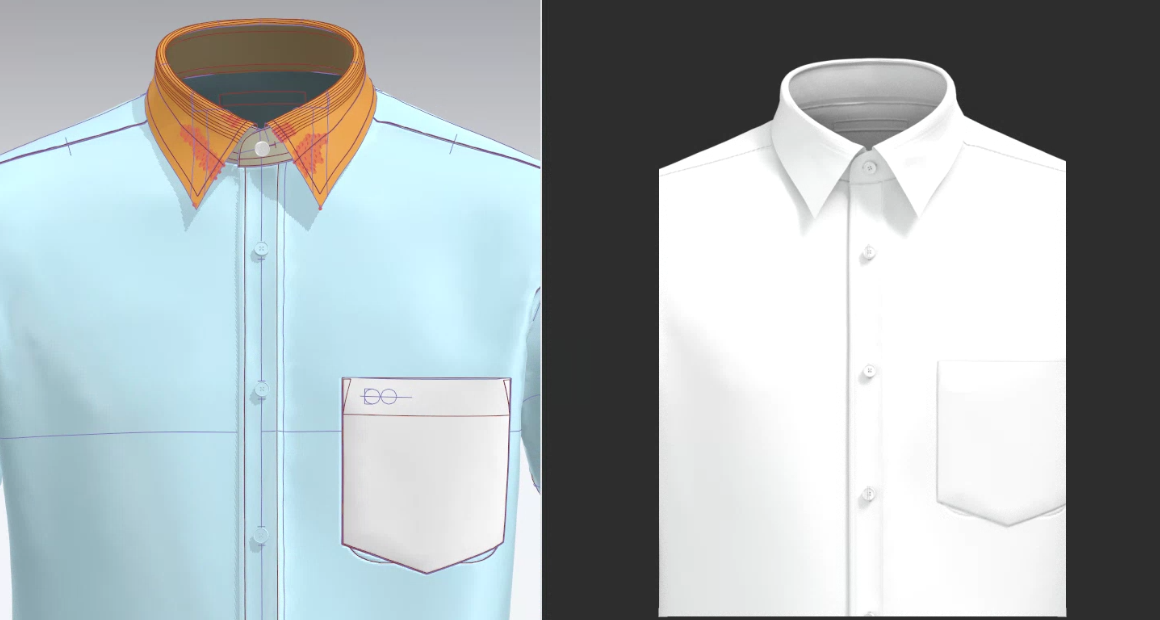
Hello, I am making a dress shirt, I want to make the collar silhouette more curved like a real shirt.
I tried adjusting the angle by adding an inner line, but the silhouette is not natural...
Please let me know if you have any advice.
CD PROJEKT®, Cyberpunk®, Cyberpunk 2077® are registered trademarks of CD
PROJEKT S.A.
© 2021 CD PROJEKT S.A. All rights reserved. All other
copyrights and trademarks are the property of their respective owners.

Hello, I am making a dress shirt, I want to make the collar silhouette more curved like a real shirt.
I tried adjusting the angle by adding an inner line, but the silhouette is not natural...
Please let me know if you have any advice.
Hello @..., If you want to hide the fold lines a little more you can select them and choose the option under Fold > Fold rendering and toggle that on and off usually that gives a more natural look and see how you like that. Some other methods are to play with the solidify option and delete the internal line entirely for a more natural look You are on the right track.
Thanks for the advice! I try based on advice.
:-)
Please sign in to leave a comment.