
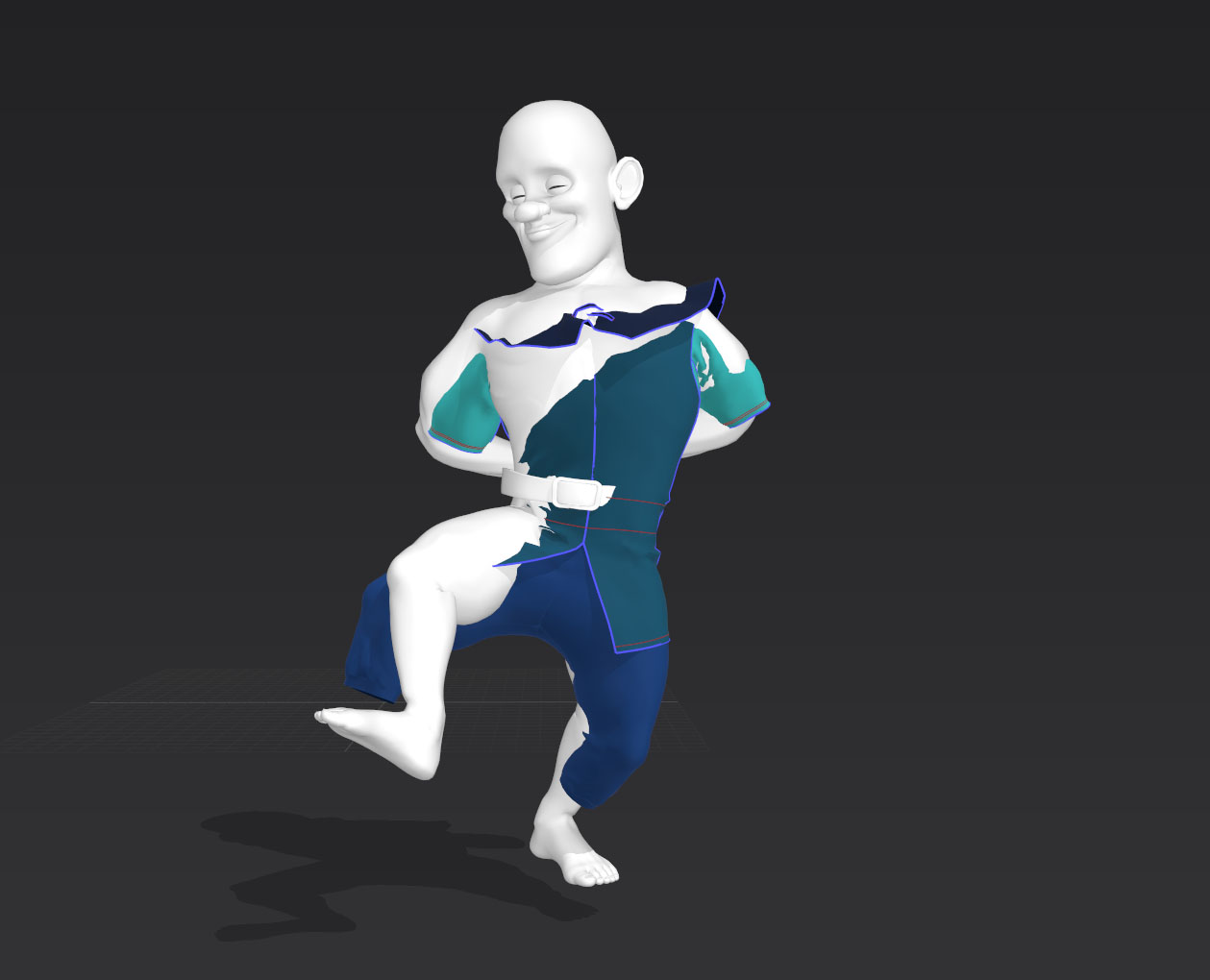
I keep getting this happen when I run an animated garment simulation, it seems my garments go out of sync with my avatar. I have checked the FPS and that is fine and the avatar is an alembic file. It seems that sometimes this happens and sometimes it doesn't. The actual sequence is 465 frames long - could this be the problem? This is a higher poly mesh but I get the same problem with a lower poly mesh... Particle distance is set to 20.
This also happens to me, to fix it in the animation window I change the "simulation quality" to "Normal" or "Gpu". I don't know why it happens, but this solves it for me
Hi Antonio
On further investigation it appears to be a bug! I have been told another fix is to close MD and then relaunch and that too should fix the problem. I have yet to try either your suggestion or the closing re-launching solution but let's hope they fix the bug in version 10!
Thanks for your help :-)
Same thing happends to me, when i import a abc sequence file thats satarts at 50 in the timeline MD import it from 63 and with a huge out of sync.
After working during days in MD 10, now i need to go back to MD 9 where the problem dosnt exist.
how can you release a version with this type of problems??
Please sign in to leave a comment.