
Good evening,
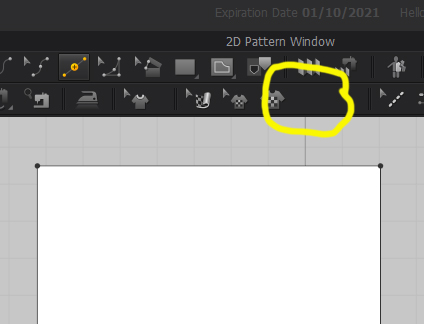
I just downloaded the trial version yesterday and noted that the 2D Toolbar ▶ Show 2D Textures button is missing? I can't find it anywhere to make sure I can see it on the toolbar. I need to be able to hide the texture so I can continue to edit the pattern, that I am trying to trace from as the background image. I've looked all over and can't find any reference to that button in MD. Am I missing something? I attached a screenshot to show the missing button.
Thanks,
Hello @...,
Thank you for contacting us!
Show/hide 2D texture button has been moved to the left Display icons. Please refer to the image below :)
If you have any further questions, please let me know! Have a lovely day.
Thank you. I did find that, but just kept seeing tutorials talk about the show 2d textures button so thought it was missing. Now I know why. I appreciate it.
Please sign in to leave a comment.