Hello all,
I have been trying to export topstitches as low poly meshes. The current default topstitches also do export as meshes, but the problem is they are very high poly meshes. I need this low poly topstitches so that the models I upload on my website and don't crash.
we do have an option to add custom OBJs or textures under topstitch, but in the case of textures, it does not export stitches as meshes & on the other hand, custom OBJs export stitches exports brokes stitch meshes.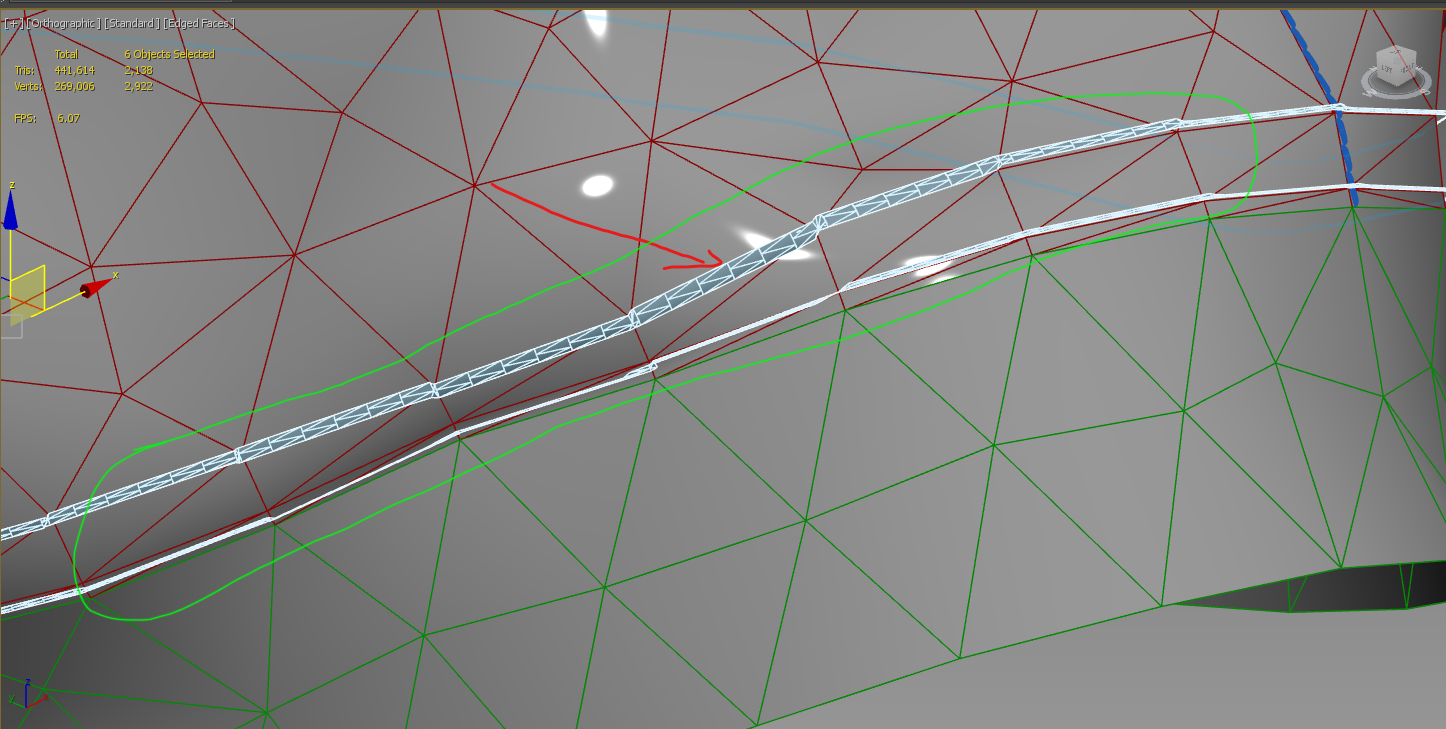

Assign the stitch image map to the flat mesh and they will appear over the garment, you can also bake these down into the texture map so they appear in the texture atlas (try a mask that you can edit into other map types > see video ) rather than as high poly models in the garment.
If you are placing the garments onto a website then you need to make sure they are suitably made such that they are low poly ready to load quickly with textures rather than polymesh stitching, that means you also need to understand the workflow for that end point. eg: game low poly (VR) model verse high poly static photoreal render model.
Most (if not all) of the high poly stitching can be baked into texture maps for diffuse, normal and depth in the texture atlas and look great so that should be your go to workflow.
Please sign in to leave a comment.