Hi,
I have Marvelous Designer Enterprise 10, and my Puckering menu (in the Object Browser) is missing.
How can I find it? Or is it not included in this version?
Cheers,
D
CD PROJEKT®, Cyberpunk®, Cyberpunk 2077® are registered trademarks of CD
PROJEKT S.A.
© 2021 CD PROJEKT S.A. All rights reserved. All other
copyrights and trademarks are the property of their respective owners.

Hi,
I have Marvelous Designer Enterprise 10, and my Puckering menu (in the Object Browser) is missing.
How can I find it? Or is it not included in this version?
Cheers,
D
The Puckering menu is also missing in the library, where it is supposed to be in the Hardware and Trims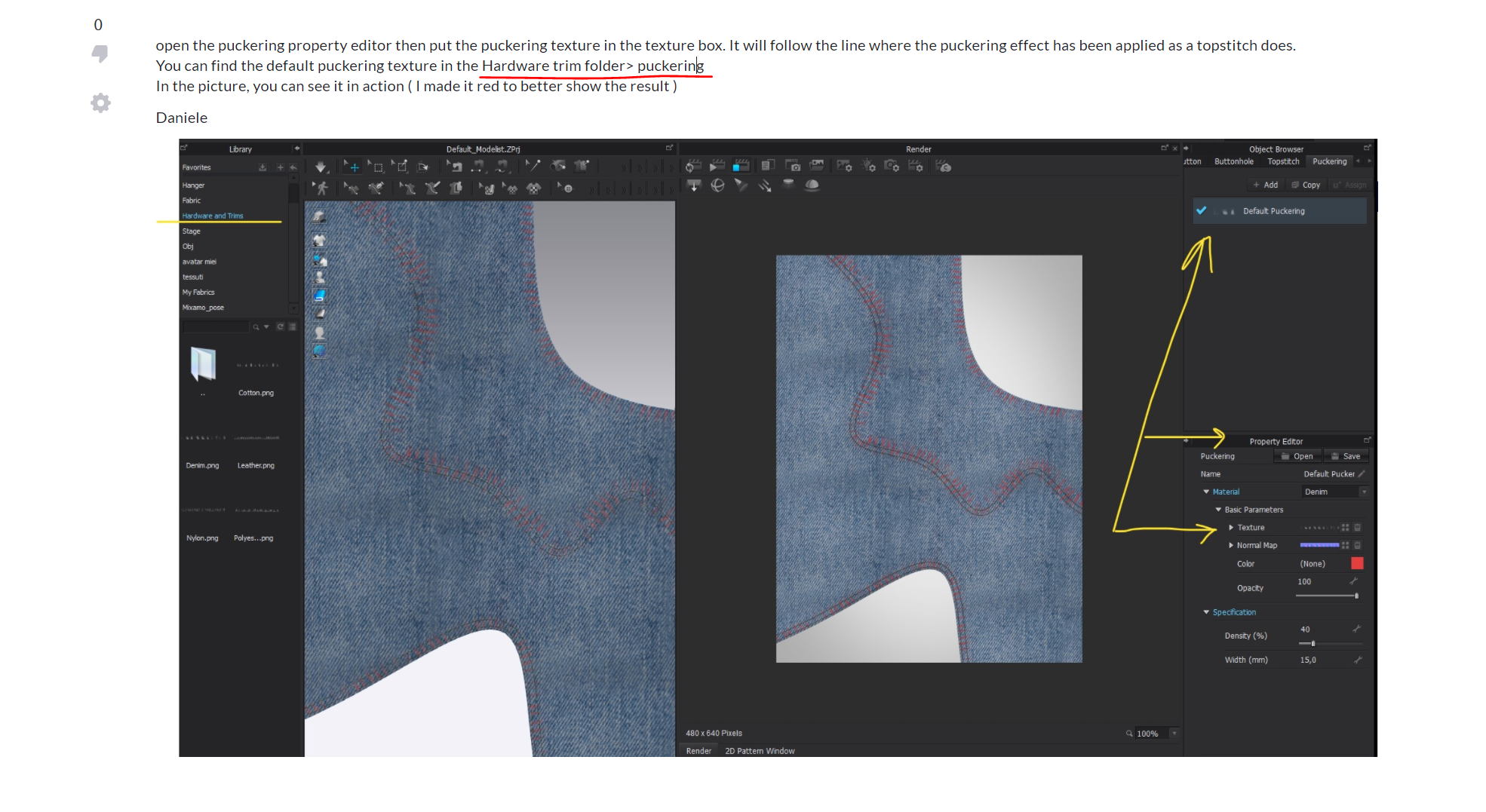
The original puckering you show in your image is from CLO3D which is not Marvelous Designer (MD) , but come from their parent companies software that does production clothing for fashion. In that application (CLO3D) it has an additional work tab for a 'puckering' trim set of textures that MD does not have. So in that instance if you load a CLO3D project/garment into MD it will likely show the puckering texture as a baked map or with the texture tiles in place. However they will not be editable in MD as there is no 'puckering' feature.
If you want puckering with MD you need to take an external texture approach instead, as MD is designed to be used with VFX pipelines that integrate it's mesh simulation, topography and basic pattern textures > then passes the asset onto further model sculpting and texturing. So in your next workflow you can stroke in a custom texture tile along an internal line (object.nurb) and bake that down to the normal map layer.
Okkaayy, Question;
I have a zprj file with a lot of puckering has been applied onto the garment. I'm using MD at the moment and cannot delete any of the puckers because there are no puckering tools in MD.
So far I've tried;
Reassigning a new material
deleting normal map
preferences >Normal Blending settings
reseting UV's
deleting lines (works with internal lines but when I delete outline the puckering hold on to the next line between two dots)
サインインしてコメントを残してください。