
I've imported a Poser Avatar, clothed it in MD 9.0, and now I want to change the pose. This is what the manual says:
https://marvelousdesigner.zendesk.com/hc/en-us/articles/360037401011-Change-Pose-by-OBJ-Morphing
The problem is that there is no "Morph Target" command under the File >> Open submenu. It's not there:
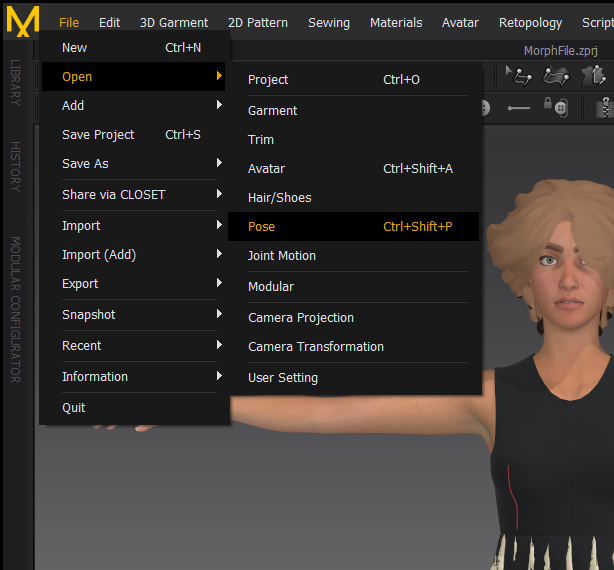
Does anyone know an alternate way? Thanks!
Use File> Import>OBJ, select the figure that will be the morphed target. In the OBJ import options box, there is a check box for "Import as Morph target". Be aware that it **must** be the exact same figure, just with a new pose (Ie., same exact number of vertices), so don't add anything like hair to it in Poser before importing it.
Thanks Rosemary!
Please sign in to leave a comment.