
Hi !
First a bit of context : i've made a garment in md, and simulate it on my character, i wanted to add particles to the simulation ( so a lot of planes that i've made in blender ) so that they all follow perfectly the movement of the cloth.
So my new garment looks like this at this point : 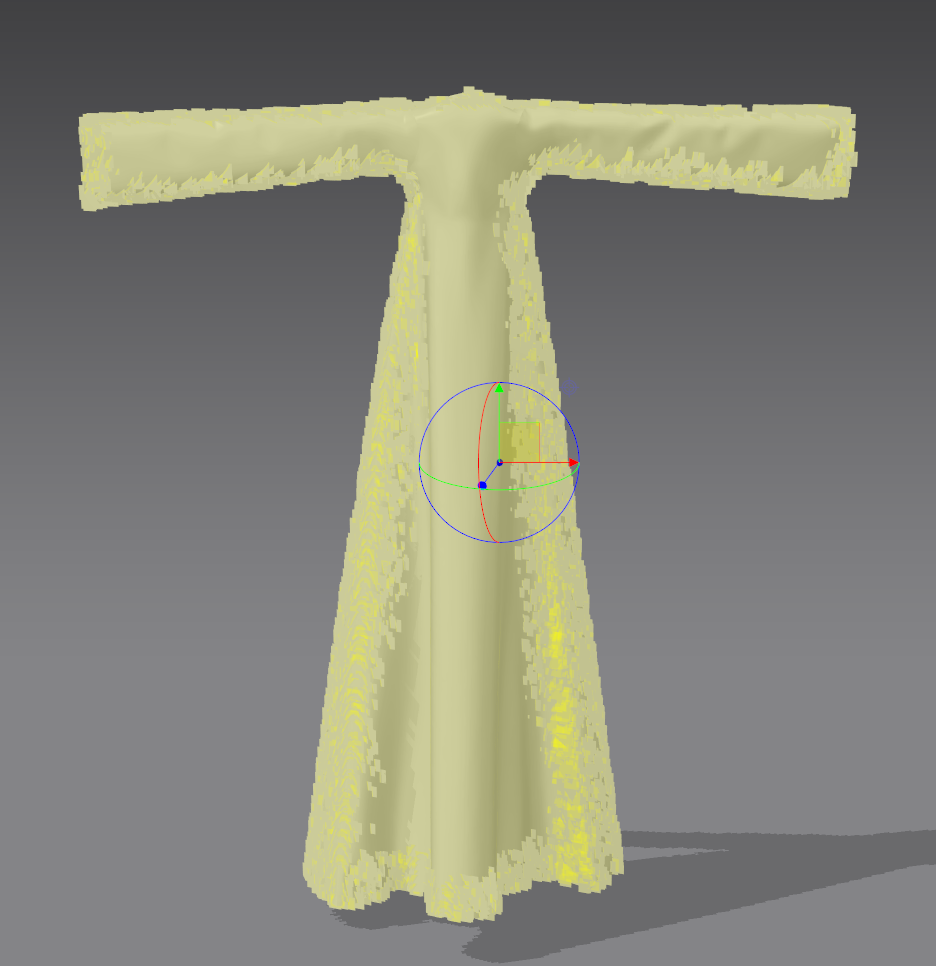
My problem is when i press play to start the simulation all my planes falls appart of the cloth like this :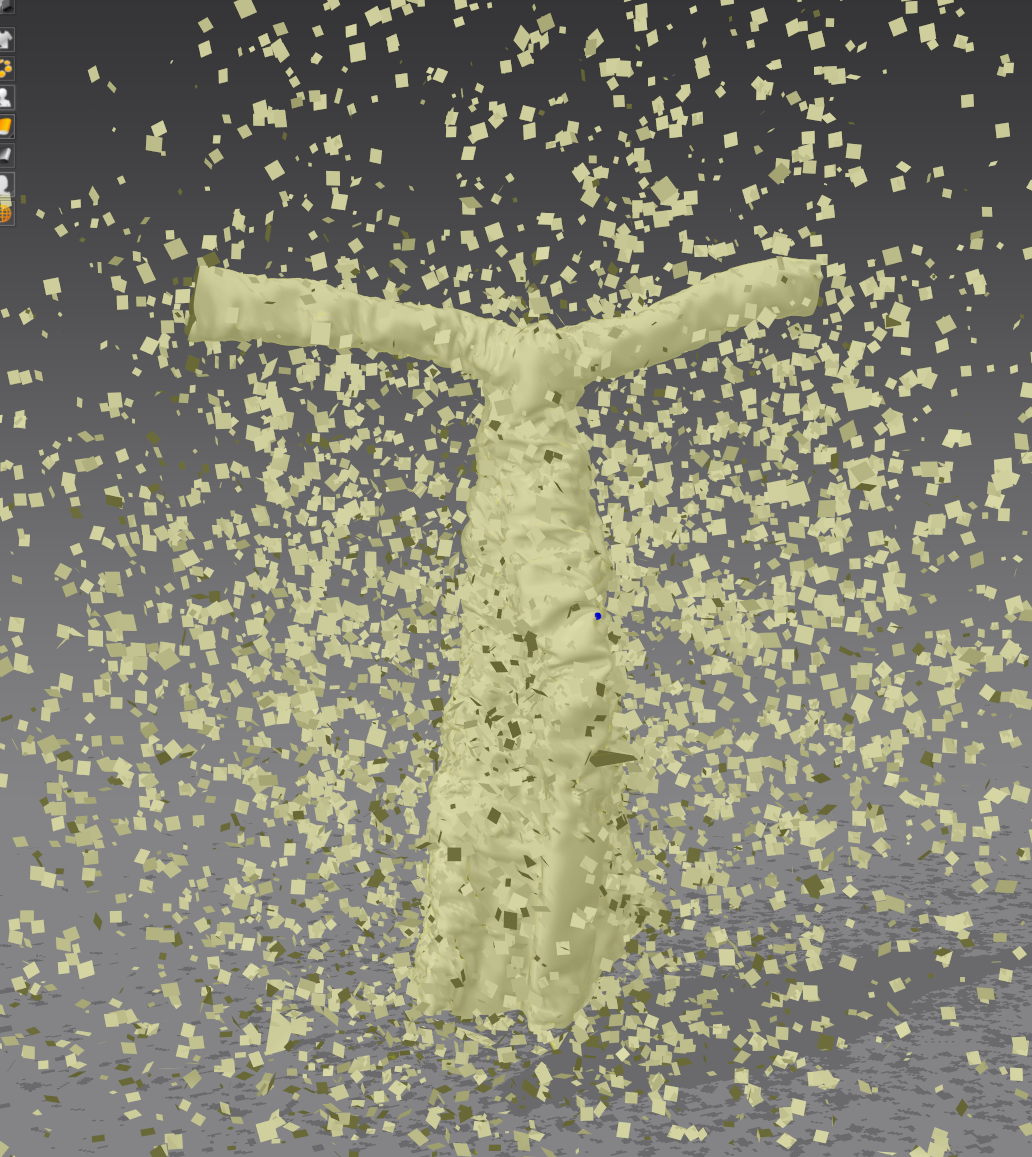
So i wanted to know if there were to merge all of thoses pieces in one, so my planes will stay "pinned" to the cloth !
Or if there is another way to do it, like import as 2 different files and parent one to anoter.. i don't really know !
If anyone could me that would be very cool ! Thanks a lot
-Raphael
Yeah that does kinda look like confetti. You don't want to simulate this in MD, that would be the wrong way to do the VFX work for that effect.
What you should do is simulate the entire cloth garment on your character in MD (without the particle cloth) then export just the garment into Blender and apply your particle to that garment and load the mesh cache for the entire animation to that garment in Blender > Then set your particles to flow with the cloth and it's surface normals (you might create a custom node graph for that), that will drive the particle of all the small bits. You can apply gravity and collision, or even external effects onto the smaller bits in blender such that they behave like they would in MD. You might do that using the surface normal per quad as a datum, this means you will get far better control and performance where you need it, back in blender which can certainly handle this effect far more easily.
Hope that helps.
Hi ! Thanks for the anwser !
That's what i did first ! But my problem is that my final render will be in unreal engine ! and i can't manage to import 10000particles in it, cause even in .abc they will import as separate planes, plus my animation is 500frames long so that would mean that unreal would have to deal with 10000 planes x 500 (cause i think i read somewhere that the way abc file works, is by dividing by animation in one mesh per frame) and there is no way it can't process that :( i tried the merge meshes option in the abc import in unreal but it freezes for hours until crash...
That's why i wanted to this this way...
The solution is in the last paragraph. (join mesh objects in blender and parent to the garment).
Ref: 'Expanded' information on your Problem:
My crystal ball is broken and I don't read minds? :-) If you 'were' intending to shift the model to unreal as a final model output then you should maybe ( in future post that ) as part of the problem description, as it's a crucial bit of information, it read like you were intending to do the work in blender > as a final output from the 1st post.
Maybe you need to rethink what is possible with a single polymesh model. And how welding a mesh, and parenting mesh object(s) (eg your particle mesh output as an object) would play into your final model output. That will likely point the way in terms of approach for an end point into unreal engine. A heavy weight poly model is going to introduce many issues to do with how you bind the mesh objects to the model and then export. So you need to perhaps focus in on that. If the cloth is animated in MD then that is one output that you then bind in Blender with the particle mesh (output number 2) and then you join those into a single mesh data scene model for use in unreal. It then ceases to be an MD technical issue and more to do with your ongoing workflows and where you do that work. So it might also be prudent to visit both the unreal community forum and blender forum to widen out the possible solutions to the problem, just describe the problem well so users get a more rounded view of your complete workflow problem.
At the moment you have to consider that binding mesh cache that represents an animation will be based on how you set your models parented mesh objects relative to each other. That will go partway to resolving the issue from Blender into unreal. (see join mesh objects into one model object) Note in blender you may parent objects to a mesh so they stay in place as a single scene object as it is animated > or you may also bind them as an additional set (insertion point) as part of a group, which might also be beneficial to simulation testing, if a scene gets heavy. It's maybe best to head over to the other pipeline software forums and get some input - I am sure there will be answers there to solve this.
If you were going to animate the whole garment in MD, you would need to bind the particle mesh output correctly to the MD model and that would mean sewing every single piece to the garment model as 'new' small rectangular pattern pieces - which would potentially be a crazy workflow given your stated process using particles. So fundamentally you need to perhaps stick to how you are using particles externally and animate that in Blender as I first suggested. Then double check in the unreal forum how you should set your scene object parenting such that when you export the garment + particle mesh they are all bound to the garment. That is where you fault is. It's simple to resolve in blender > just check you group all objects (particles) as a single object with your garment or parent > all the particles < to object that sits under the garment > then it will stay that way in unreal.
Please sign in to leave a comment.