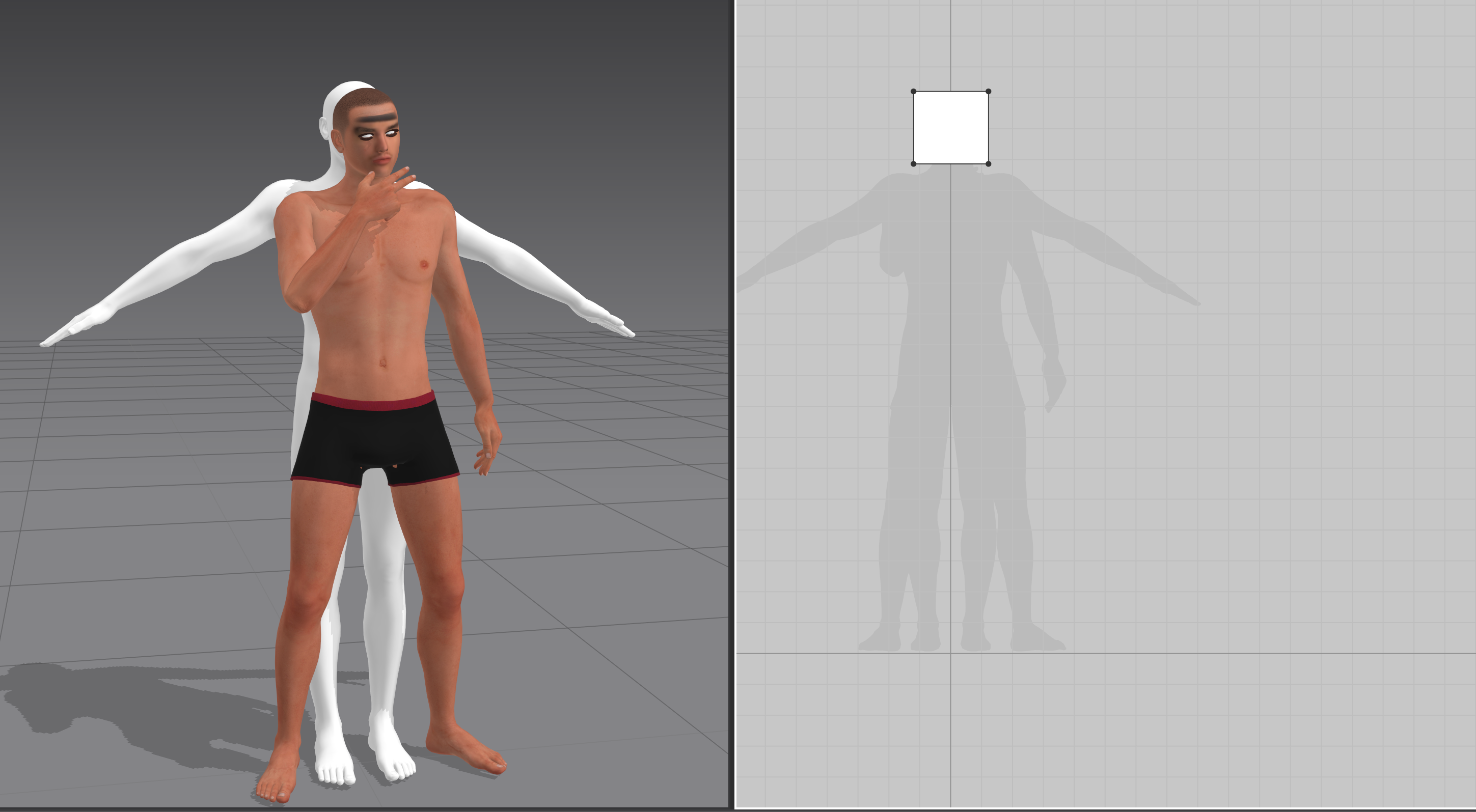
 Every time I 'm working on an animated avatar this white animation pops up behind the avatar and I have no idea how to fix it. I've looked everywhere online for a solution and this is my last hope.

CD PROJEKT®, Cyberpunk®, Cyberpunk 2077® are registered trademarks of CD
PROJEKT S.A.
© 2021 CD PROJEKT S.A. All rights reserved. All other
copyrights and trademarks are the property of their respective owners.
Every time I 'm working on an animated avatar this white animation pops up behind the avatar and I have no idea how to fix it. I've looked everywhere online for a solution and this is my last hope.
Hi McAfee Jaela,
Thank you for contacting us,
Could you please tell me which file format you imported your Animation as?
If you are using FBX, could you please import it to another 3D software and see if the character mesh on the back exist? It could be a blend shape mesh which were hidden but was brought along with your file.
If you are using Alembic Cache, in your 3D software, please select only the animated character mesh and export Alembic (Selected) before you bring it into Marvelous Designer.
Best regards,
Marvelous Designer Support Team
Please sign in to leave a comment.