
Dear all,
I hope you are all doing well.
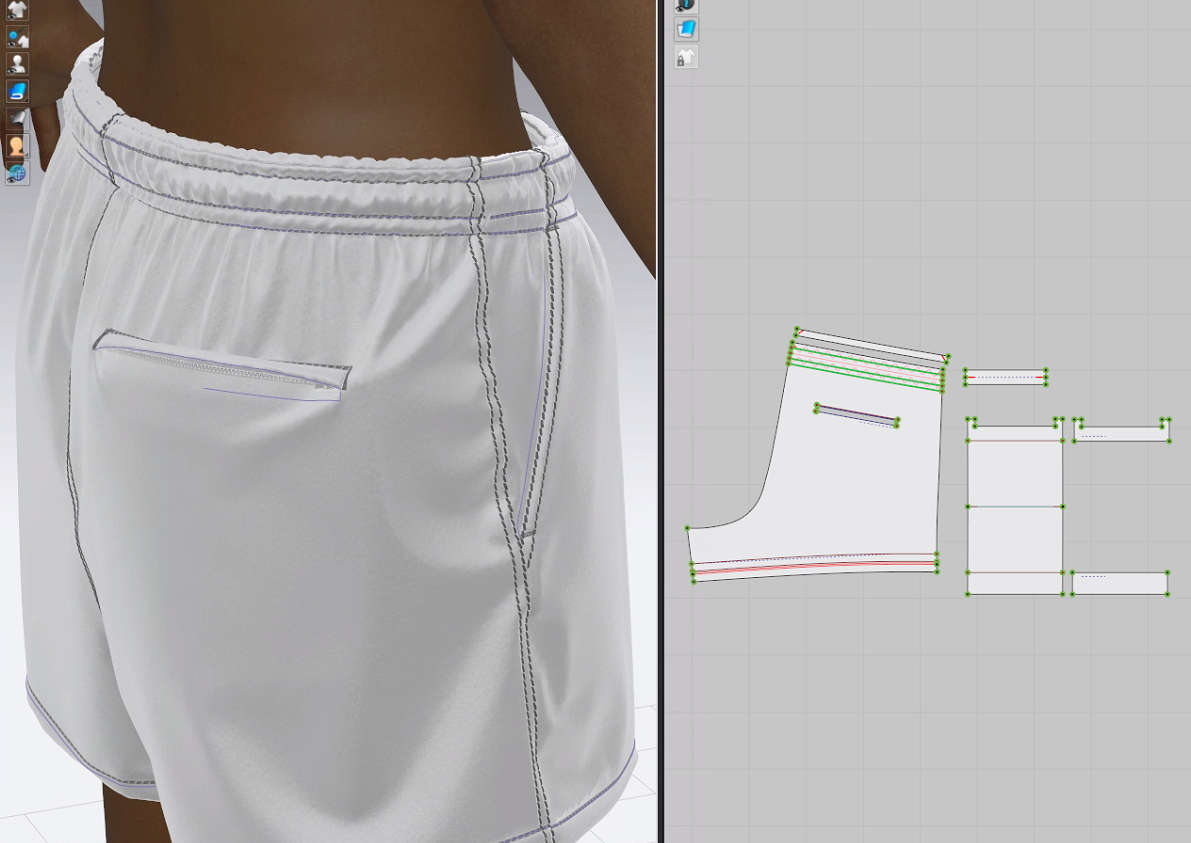
Currently I am working on this casual short (with elastic band at waist and zipper sewn to right back panel.)
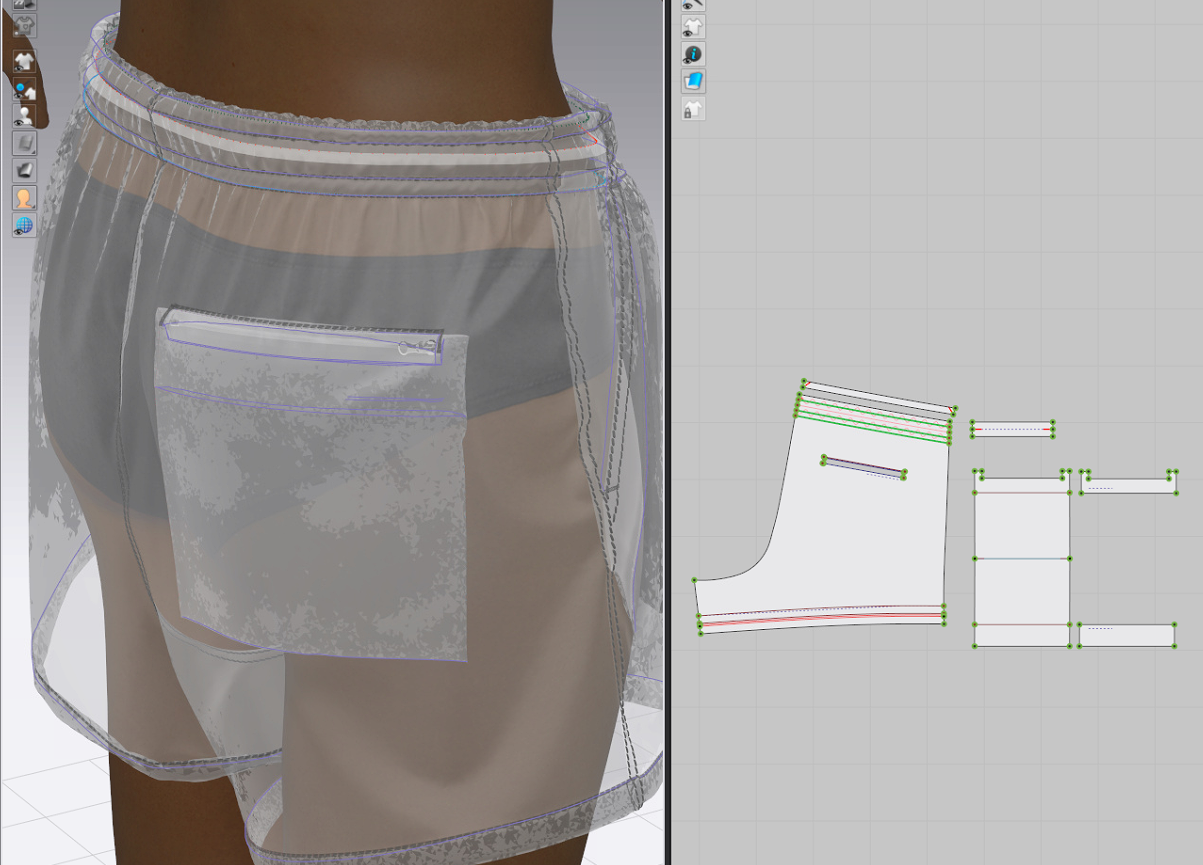
While creating back pocket with single welt flap, zipper and pocketing (facing is required at opening), eventhough the particle distance (mm) is set between 1.0 to 3.0, which is quite small, on all patterns, the pocketing opening appearance is still very stiff (stick out) and won't go with hip curve softly. (please see reference images below)
Listing all relevant info below for your reference:
*particle distance (mm) of patterns: 1.0-3.0
*particle distance (mm) of zipper(trim): 1.0
*fabirc: Nylon featherweight 33.8384 g/m2
*pocket opening size: (H) 0.5" x (W) 6"
*waist (extended) size: 19.625"
*waist (relaxed) size: 15.75"
By keeping all required info listed above, I've tried (1)adding/removing internal lines at single welt, (2)removing single welt but keep the rest construction, (3) removing zipper but keep the rest construction, (4) removing pocketing but keep the rest construction, (5) using fabirc/pattern to replace actual zipper trim, (6) set 0.1" lines around pocket opening and have the welt sewn to them but keep the rest construction...etc.
None of the methods above could make the back pocket opening sit smoothly with human body/garment.
I've googled but didnt see others work on this kind of construction even it's not complicated.
Does anyone have relevant experience or would like to try/take a challange?
Looking forward to seeing different solutions on this item! : )
To allow other folks to help better, write some more descriptions if your issue is related to technical issues.
- ● Marvelous Designer Version: 7.2
- ● CPU : Intel(R) cORE(TM) i9-10900 CPU @ 2.8GHz 2.81 GHz
● RAM : 128GB
If you need a staff member to look closer at your issue for technical support. Please contact the Marvelous Designer support team.
Hi Catherine
This issue can be produced for different reasons. So let's try a few things and see if improve the display of the patterns.
Many users upload their creations where you can see how they create their pockets with flaps. I live you a link to one particular dress that has many zippers and some with flaps and pockets in it. Hope you find it useful
https://www.youtube.com/watch?v=Q0ojJVXE36o
Please sign in to leave a comment.